
Blonde woman in sequin skirt looking over shoulder at indoor event
Prompt
A candid shot of a blonde woman in a sparkly sequin skirt and black boots posing with her back turned while looking over her shoulder at the camera.

Subject: A young woman with long blonde hair wearing a red strap top, a short silver sequined mini skirt, and tall black boots. She has a small tattoo on her left arm and is accessorized with bracelets and a red crossbody bag.

Clothing: The main subject wears a sparkly silver sequin skirt, a red strapless or halter top, and tall black boots. Other attendees in the background wear casual party attire including denim shorts, t-shirts, and leather skirts.

Action: The central figure stands with her back to the camera, looking back over her shoulder with a slight smile. Her left hand rests on her hip while her right arm hangs by her side.

Environment: A large indoor venue resembling a concert hall or backstage area with high ceilings, yellow industrial trussing structures, and a stage setup in the distance. The floor is covered in scattered white confetti.

Camera: Medium shot capturing the subject from the waist up, framed slightly from behind to emphasize her pose against the busy background crowd.

Lighting: Dim ambient lighting typical of an indoor event space with soft highlights on the sequins and skin tones, creating a moody atmosphere.

Style Details: Candid photography style with natural depth of field blurring the background crowd, capturing a spontaneous moment at a party or concert venue.
Description
This prompt is useful for generating editorial fashion documentation, nightlife event promotion materials, and character concept art for music videos. The combination of 'dim ambient lighting' with 'soft highlights on the sequins' ensures the metallic texture catches light without appearing overexposed, while the 'natural depth of field blurring the background crowd' isolates the subject against the busy backdrop.
Suggestions
- Change 'silver sequin skirt' to 'gold sequin skirt' for a warmer tone.
- Swap 'red strapless or halter top' for 'black velvet top' for more contrast.
- Adjust 'yellow industrial trussing structures' to 'exposed brickwork' for a different venue feel.
Category
Tags
Back ViewBlondeBrown HairCasual WearFemaleMedium ShotRealistic
Date added
June 19, 2026
Added by
PromptDexter Team
Related Prompts
More prompts with similar categories and tags.
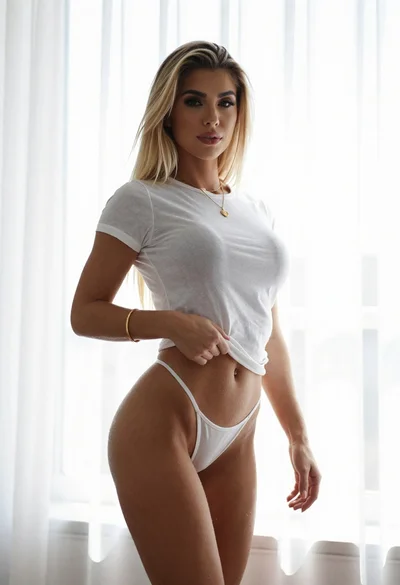
Young blonde woman in white crop top against bright sheer curtains

Blonde woman in turtleneck and swim bottoms on a beach
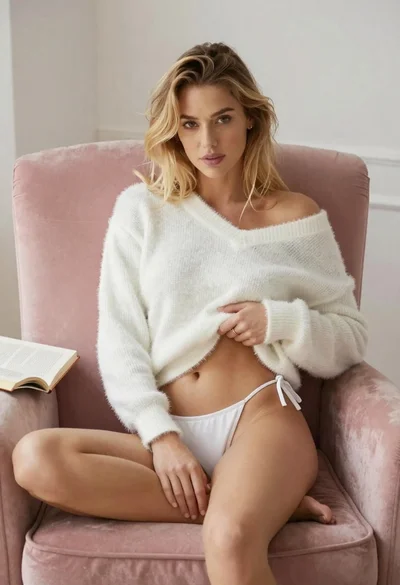
Blonde woman in white sweater sitting on pink armchair indoors
Blonde woman in green blouse stands by weathered doorway with vintage feel
Blonde woman leaning against stone archway in tailored blazer outfit

Blonde woman in maroon fringed dress standing in white arched hallway

Two women in red mini dresses posing indoors at an opulent setting
Blonde woman in black bodysuit seated at a pub bar

Blonde woman in black leather jacket standing in modern marble bathroom

Smiling blonde woman in sports bra sitting on outdoor lounge chair