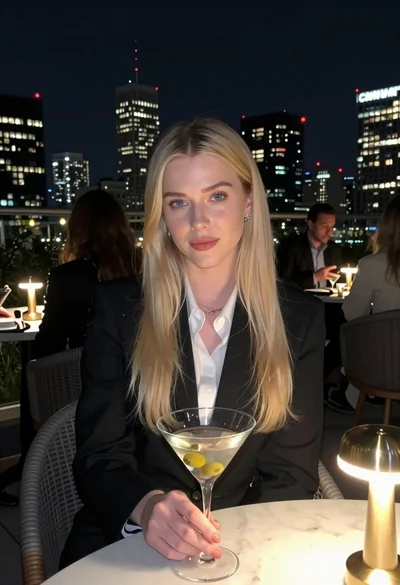
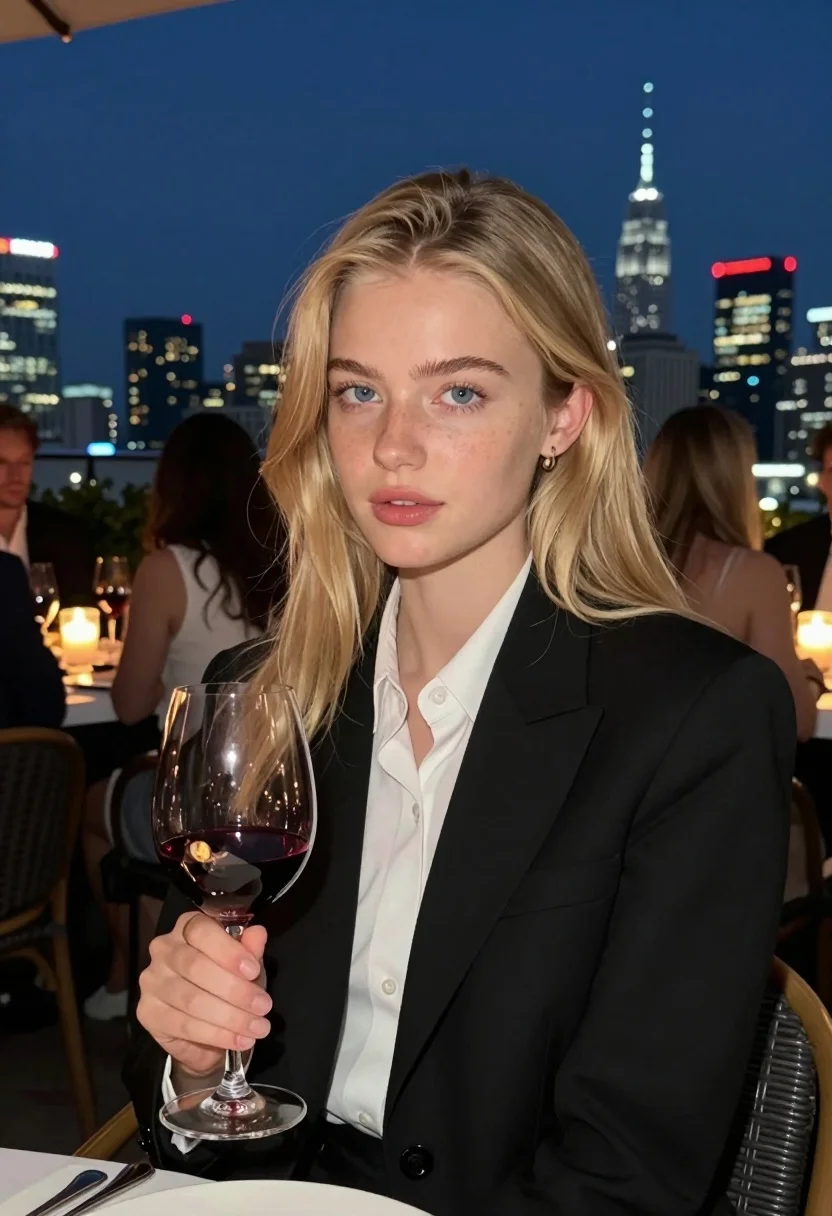
Fair blonde woman at rooftop restaurant holding red wine glass at night
Prompt
A young woman with long blonde hair sits at a dinner table holding a glass of red wine while looking directly at the camera.

Subject: A fair-skinned young woman with long, straight blonde hair and blue eyes. She has a soft, natural complexion with visible freckles across her nose and cheeks. Her lips are full and slightly parted in a neutral expression.

Clothing: She wears a structured black blazer over a crisp white collared shirt. The fabric appears smooth and tailored.

Action: She is seated at a table, holding a large wine glass filled with red wine in her right hand near her chest. Her body is angled slightly away from the camera while her head turns to face forward.

Environment: The setting is an upscale outdoor rooftop restaurant at night. In the background, there is a blurred city skyline featuring illuminated skyscrapers and a distinctive tower. Other diners are seated at tables in the distance.

Lighting: The scene is lit by warm ambient light from candles on the table and soft artificial lighting that highlights her face against the dark blue night sky.

Camera: A medium close-up shot with a shallow depth of field that keeps the subject sharp while blurring the background city lights and other diners.

Style Details: High-quality photography with a cinematic color palette, featuring deep blues in the background contrasted with warm skin tones and candlelight.
Description
This prompt is useful for creating sophisticated editorial portraits, romantic dinner scene visualizations, and moody lifestyle advertisements. The combination of 'warm ambient light from candles' against a 'deep blue night sky' establishes high contrast that draws focus to the subject's face, while the 'shallow depth of field' ensures the blurred city skyline remains atmospheric rather than distracting.
Suggestions
- Change 'structured black blazer' to 'velvet blazer' for richer nighttime texture.
- Swap 'red wine glass' for 'crystal champagne flute' to alter the mood.
- Adjust 'deep blues in the background' to 'emerald and gold tones' for a different color story.
Category
Tags
Black HairBlondeCasual WearFair SkinFemaleMedium ShotOutdoorsRealisticRooftop
Date added
July 12, 2026
Added by
PromptDexter Team
Related Prompts
More prompts with similar categories and tags.
Blonde woman on rooftop terrace overlooking city skyline at golden hour

Blonde woman in black hat standing in misty green rolling hills

Blonde woman in black top on balcony overlooking beige stone street

Young woman with dark hair at wooden table in open air setting

Blonde woman smiling with green lollipop in brightly lit candy store

Blonde woman in purple polo shirt on an urban street setting
Fair blonde woman walking outdoors in white top and beige trousers
Young woman in white floral lace midi dress against grey stone wall
Young woman in green tank top against wall with golden hour light
Blonde woman looking back over shoulder in an elegant floral garden setting
