
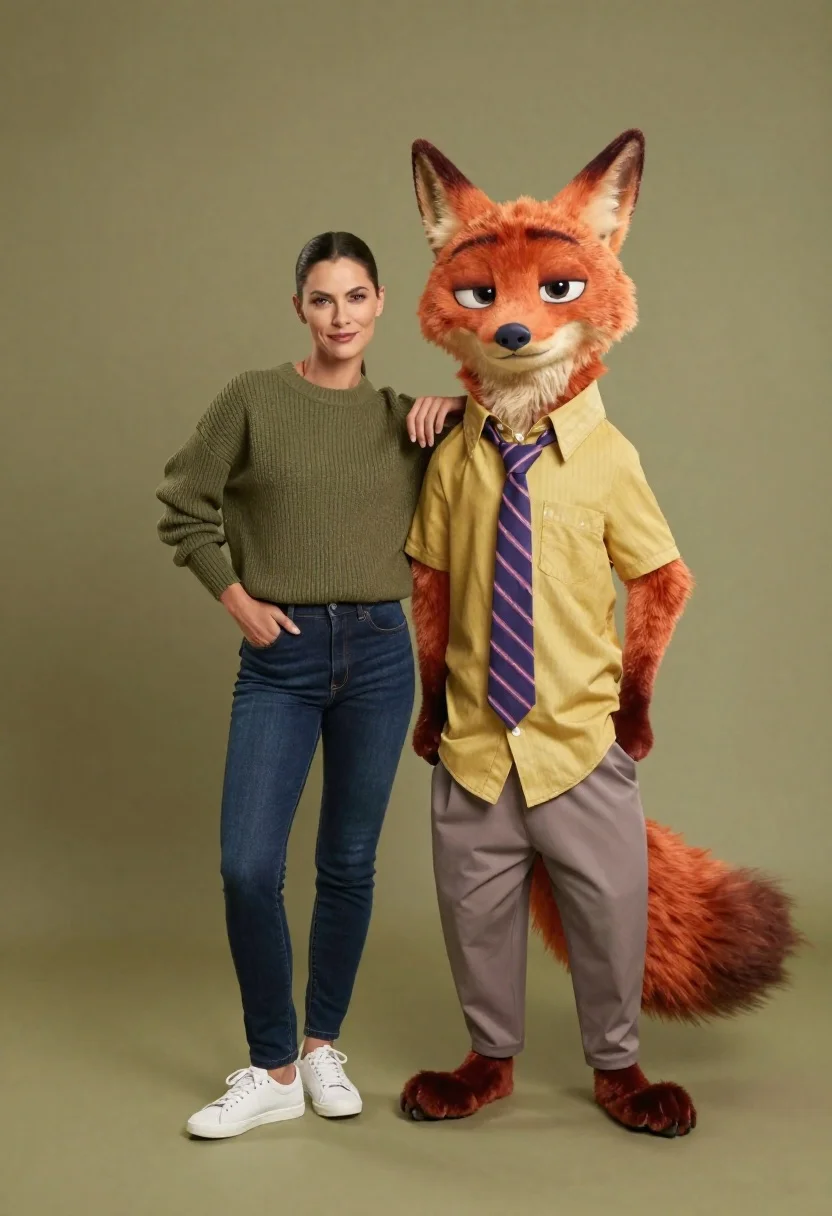
Full body studio shot of woman and anthropomorphic fox character
Prompt
A full-body studio shot of a woman standing next to an anthropomorphic fox character against a solid olive green background.

Subject: A tall woman with dark hair pulled back and a confident expression stands beside a large, realistic-looking anthropomorphic red fox with prominent ears and a bushy tail.

Clothing: The woman wears a ribbed olive green sweater, dark blue jeans, and white sneakers. The fox character is dressed in a yellow button-down shirt, a purple striped tie, and grey trousers.

Action: The woman leans casually against the fox's shoulder with one hand in her pocket, while the fox stands upright with its hands behind its back.

Environment: A seamless studio backdrop in a muted olive green color that matches the overall warm tone of the image.

Camera: Eye-level medium shot capturing both figures from head to toe with soft focus on the background.

Lighting: Soft, diffused studio lighting illuminating the subjects evenly with minimal harsh shadows.

Style Details: Photorealistic 3D rendering style blending realistic human textures with stylized character animation.
Description
This prompt is useful for creating character concept art for animated features, advertising campaigns featuring anthropomorphic characters, and digital illustration portfolios. The combination of 'photorealistic 3D rendering' with a 'seamless studio backdrop in a muted olive green color' ensures that the focus remains entirely on the interaction between the woman and fox, preventing background distractions while maintaining visual cohesion across both subjects.
Suggestions
- Change 'ribbed olive green sweater' to 'cream knit sweater' for better contrast.
- Swap 'yellow button-down shirt' for 'light blue chambray shirt' to complement the jeans.
- Adjust 'soft focus on the background' to 'shallow depth of field' for more separation.
Category
Tags
3dCasual WearFemaleFull BodyMedium ShotOutdoorsRealisticStudio
Date added
June 26, 2026
Added by
PromptDexter Team
Related Prompts
More prompts with similar categories and tags.

Woman in police uniform stands with fox wearing shirt against white studio

Three animated characters standing together against a solid blue background

Smiling woman next to pink panther mascot in a seamless pastel studio

Smiling young woman posing with large blue robot cat mascot on solid

Full body studio shot of woman standing between large mario and luigi

Woman in pink suit presenting ring box to large red reindeer mascot
Young woman standing confidently between two large sonic the hedgehog characters

Young woman with dog sitting on green grass in a garden setting
