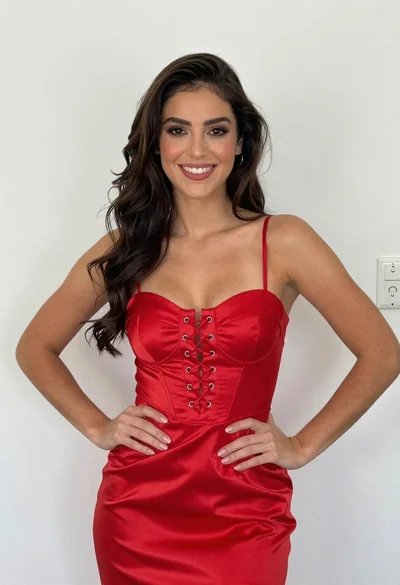
Glamorous woman posing in shimmering two piece outfit against green backdrop
Prompt
A glamorous woman posing against a solid green background.

Subject: A woman with long, dark brown wavy hair styled in loose curls that frame her face and shoulders. She has a fair complexion and is making a playful pouty expression with puckered lips while looking directly at the camera. Her makeup features defined eyebrows, subtle eyeshadow, and glossy pink lipstick.

Clothing: She wears an elegant, shimmering two-piece ensemble consisting of a deep V-neck bodice and a long skirt. The top features intricate lace detailing on the bust and is trimmed with sparkling rhinestones along the neckline and straps. Matching sheer, sparkly gloves extend from her wrists to her elbows, adorned with crystal embellishments at the cuffs.

Action: She stands confidently with both hands placed firmly on her hips, accentuating the fit of the dress. Her posture is upright and poised, conveying a sense of glamour and confidence.

Lighting: The scene is illuminated by bright, even studio lighting that highlights the sparkle of the sequins and rhinestones on her outfit while casting soft shadows to define her features.

Environment: A plain, vibrant green wall serves as the background, providing a bold contrast to her shimmering attire.

Camera: The shot is a medium-full length portrait taken from a straight-on angle with a shallow depth of field that keeps the subject sharp and slightly blurs the background.

Style Details: High-fashion photography style with high resolution, vibrant colors, and a polished, glossy finish typical of red carpet or event coverage.
Description
This prompt is useful for creating editorial fashion moodboards, promotional event imagery, and beauty campaign visuals requiring strong color contrast. The combination of 'bright, even studio lighting' with the 'plain, vibrant green wall' ensures that the 'shimmering two-piece ensemble' catches light uniformly without harsh shadows, which is essential for showcasing rhinestones and lace detail against a saturated backdrop.
Suggestions
- Change 'deep V-neck bodice' to 'sweetheart neckline' for a different bust shape.
- Swap 'glossy pink lipstick' for 'bold crimson lipstick' to increase visual drama.
- Adjust the background from 'plain, vibrant green wall' to 'emerald velvet curtain' for richer texture.
Category
Tags
Brown HairBrunetteCasual WearFair SkinFemaleFull BodyMedium ShotPortrait ShotRealisticStudio
Date added
June 19, 2026
Added by
PromptDexter Team
Related Prompts
More prompts with similar categories and tags.

Confident woman in embellished denim jumpsuit against a gray studio backdrop

Young woman in black graphic tshirt against white paneled wall

Portrait of woman in elaborate red feathered gown against vivid blue background

Woman in sheer crystal gown looking over shoulder at event backdrop

Young woman with braided hair in misty woodland setting
Confident young woman in matching red sequined outfit against solid grey studio

Young woman leaning against white wall with beige handbag under bright sunlight

Portrait of woman with red hair in navy blouse and green skirt

Blonde woman in striped swimsuit seated on sofa indoors studio shot

Fair blonde woman in black corset and denim shorts studio portrait