
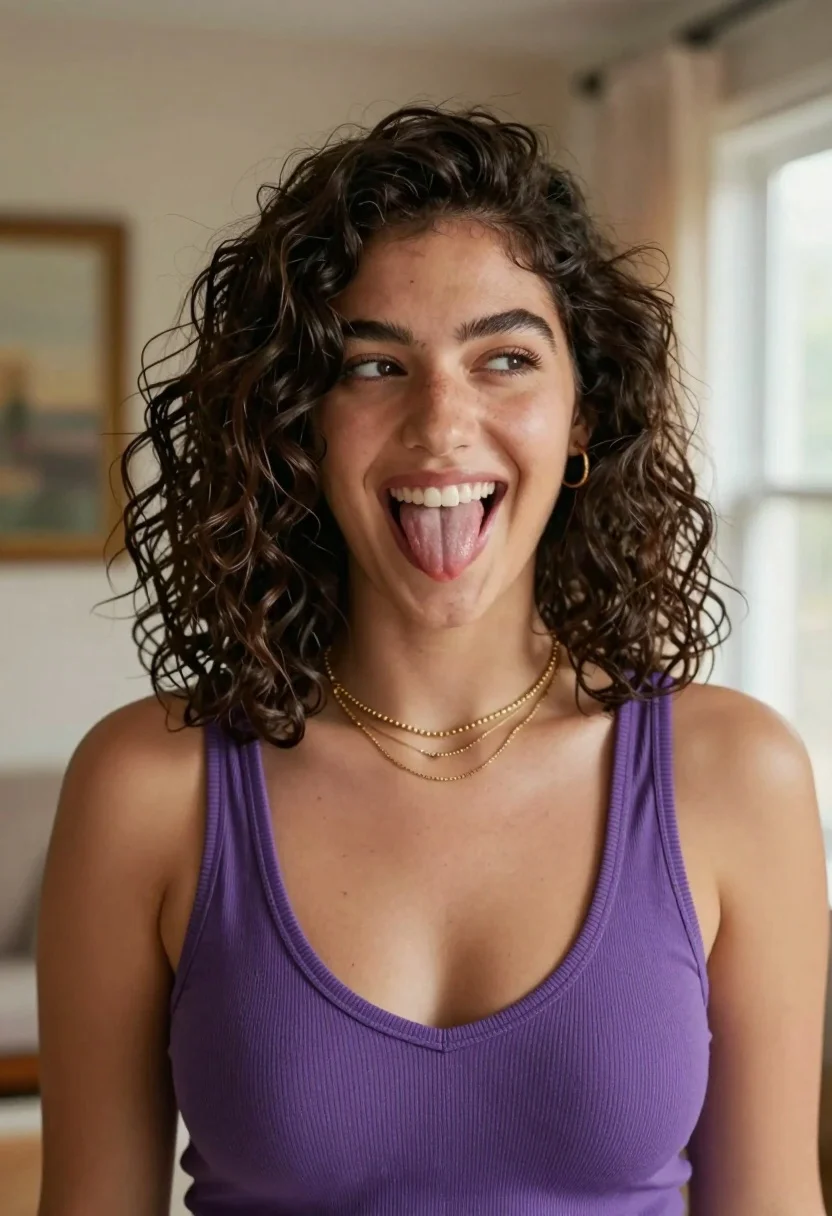
Medium close up portrait of woman sticking tongue out indoors
Prompt
A playful woman with dark wavy hair sticking her tongue out while looking sideways.

Subject: A young woman with a warm complexion and shoulder-length dark brown wavy hair styled in loose curls framing her face.

Clothing: She wears a fitted purple ribbed tank top with a deep V-neckline, layered with three delicate gold necklaces of varying chain styles including a link chain and beaded strands, complemented by a small gold hoop earring.

Action: Her head is tilted slightly to the side as she looks off-camera with a mischievous expression, her mouth open in a wide smile revealing white teeth while her tongue is playfully extended.

Environment: The background is an indoor room with soft neutral beige walls, framed artwork visible on the wall behind her, and a window with sheer curtains letting in natural light on the right side.

Lighting: Soft natural daylight illuminates the scene from the right, casting gentle highlights on her skin and hair while creating subtle shadows that add depth to her features.

Camera: A medium close-up shot with a shallow depth of field that keeps the subject sharply in focus while softly blurring the background elements.

Style Details: High-resolution portrait photography with warm color grading and smooth skin texture rendering.
Description
This prompt is useful for creating playful character studies, informal social media portraits, and candid lifestyle photography featuring expressive subjects. The combination of 'soft natural daylight' from the right side and a 'shallow depth of field' ensures that the subject remains sharply focused while the background elements—like the visible artwork—are softly blurred, preventing visual clutter around her mischievous expression.
Suggestions
- Change 'purple ribbed tank top' to 'cream knit sweater' for a softer color palette.
- Add 'bokeh effect' to enhance the background blur.
- Swap 'mischievous expression' for 'silly grin' to adjust the mood.
Category
Tags
BrunetteCasual WearFair SkinFemaleIndoorsMedium ShotPortrait ShotRealistic
Date added
August 5, 2026
Added by
PromptDexter Team
Related Prompts
More prompts with similar categories and tags.

Young woman in red velvet gown standing indoors against white wall
Young woman leaning over table in cafe with dessert and drink

Red haired woman in workshop with tools background
Young woman with dark hair wearing black sweater indoors in bedroom setting
Young woman in white embroidered saree smiling indoors with soft natural light

Young woman with brown hair in beige cardigan smiling indoors at camera
Portrait of young woman with dark hair in pink shirt against white
Young woman with dark hair in pink floral dress indoors portrait

Blonde woman in black hat standing in misty green rolling hills

Young woman in olive saree leaning on railing outdoors during golden hour
