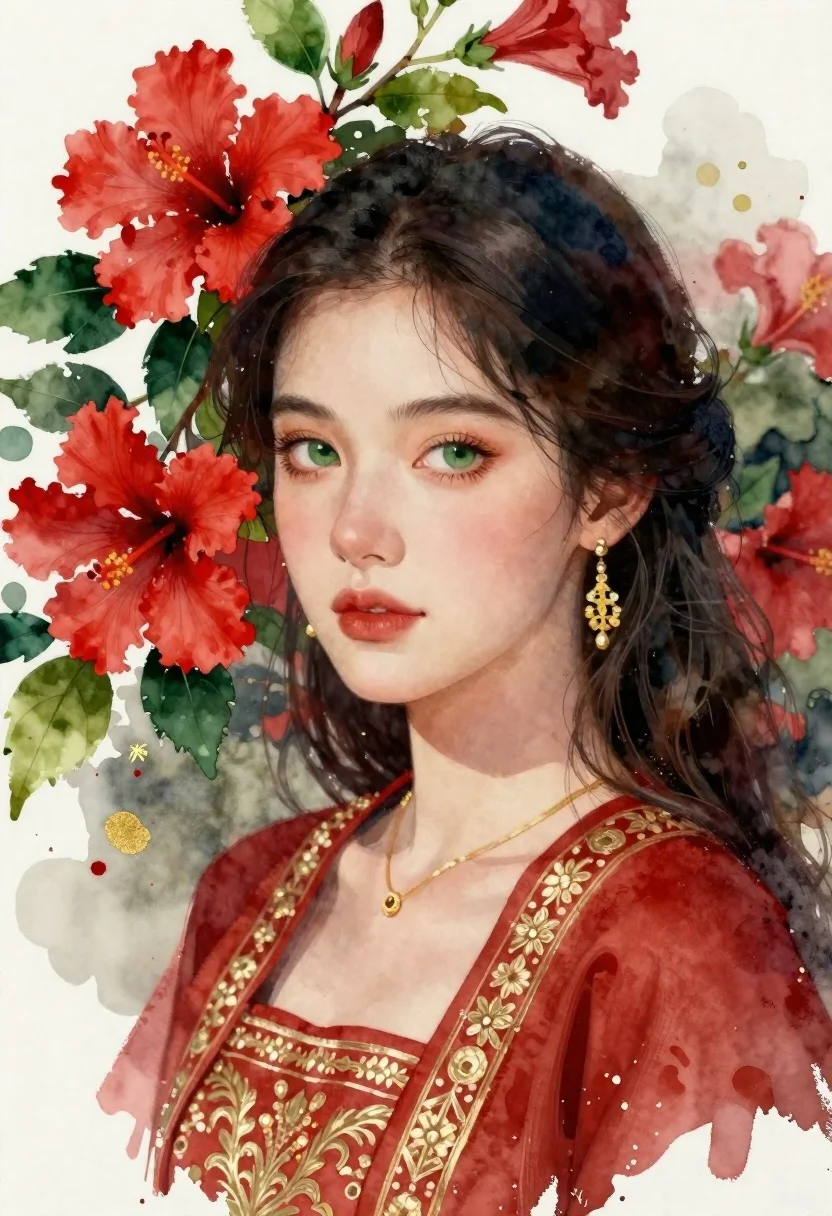
Portrait of young woman with dark hair and green eyes among hibiscus
Prompt
A portrait of a young woman with dark hair and striking green eyes, framed by vibrant red hibiscus flowers and lush green leaves.

Subject: A young woman with fair skin, dark wavy hair pulled back loosely, and expressive green eyes looking directly at the viewer.

Clothing: She wears a deep red garment with intricate gold embroidery along the neckline and shoulders, complemented by a delicate gold necklace and matching earrings.

Action: Her expression is calm and serene, with her head slightly tilted, exuding a gentle and composed demeanor.

Environment: The background is a textured white surface resembling watercolor paper, adorned with artistic splashes of red, green, and gold paint that blend into the floral elements.

Camera: A close-up portrait shot with a shallow depth of field that keeps the subject in sharp focus while allowing the surrounding floral details to softly integrate into the composition.

Lighting: Soft, diffused lighting illuminates her face evenly, highlighting her features without harsh shadows and creating a warm, inviting atmosphere.

Style Details: The image is rendered in a watercolor painting style with visible brushstrokes, fluid color transitions, and a hand-painted aesthetic that emphasizes texture and artistic expression.
Description
This prompt is useful for creating traditional portraiture studies, fine art book illustrations, and character concept art for historical settings. The combination of 'watercolor painting style with visible brushstrokes' against the 'textured white surface resembling watercolor paper' grounds the composition in a specific artistic medium, ensuring that the subject's features remain painterly rather than photographic, which is crucial for achieving an authentic hand-painted aesthetic.
Suggestions
- Change 'deep red garment' to 'indigo silk garment' for a cooler color contrast.
- Swap 'vibrant red hibiscus flowers' for 'pale pink peonies' to soften the palette.
- Adjust 'soft, diffused lighting' to 'rim light from upper left' to add more drama.
Category
Tags
Black HairClose UpFair SkinFemalePortrait ShotTraditinal ArtTraditional Art
Date added
June 21, 2026
Added by
PromptDexter Team
Related Prompts
More prompts with similar categories and tags.
Detailed pencil sketch character sheet of young woman in traditional south asian
Young woman painting miniature village diorama with red hair
Young woman in gold dress beside her portrait painting in art studio
Split composition portrait of young woman with headphones on left and colored
Young woman smiling next to her caricature portrait on an easel outdoors
Young woman with brown hair in white dress holding brushes in sunlit
Close up portrait of woman with dark hair against white background
Woman in black suit sitting in armchair with large portrait on wall