

Smiling woman in cycling gear making peace sign on forest road
Prompt
A smiling woman stands on a paved road in a lush green forest, making a peace sign with her hand while wearing cycling gear.

Subject: A young woman with dark hair tied back in a ponytail, wearing a white bicycle helmet with sunglasses resting on the forehead and a black backpack.

Clothing: She wears a light grey long-sleeved athletic top with a zipper at the neck and has a small stud earring visible.

Action: The subject is smiling broadly at the camera while raising her left hand to make a peace sign gesture.

Environment: A paved road stretches into the background with a yellow center line, flanked by dense green trees and foliage under natural daylight.

Objects: A black backpack is worn on her back, and a white vehicle is visible in the distance on the road.

Text/Graphics: The image features digital overlays including a bright yellow outline around the subject, a light blue butterfly graphic near the top right, and dashed white arrows curving around the figure.

Lighting: Soft natural daylight illuminates the scene evenly with no harsh shadows, creating a bright and airy atmosphere.

Camera: A medium close-up shot taken at eye level with a shallow depth of field that keeps the subject sharp while blurring the background trees and road.

Style Details: The image has a casual travel photography aesthetic enhanced by playful digital stickers and a yellow highlight border.
Description
This prompt is useful for creating lifestyle blog headers, fitness brand promotional materials, and whimsical travel itineraries. The combination of 'soft natural daylight' with the 'shallow depth of field' ensures the subject remains crisp against the blurred forest background, while the inclusion of playful digital stickers like the yellow outline prevents the image from feeling like a standard, unedited photograph.
Suggestions
- Change 'light grey long-sleeved athletic top' to 'neon pink breathable jersey' for more pop.
- Replace 'yellow center line' with 'gravel path' to shift the setting.
- Adjust 'bright yellow outline' to 'subtle gold glow' for a more premium feel.
Category
Tags
Black HairFair SkinFemaleMedium ShotNatureOutdoorsPortrait ShotRealisticStreetUrban
Date added
June 21, 2026
Added by
PromptDexter Team
Related Prompts
More prompts with similar categories and tags.

Smiling young woman next to minnie mouse character at epcot geodesic sphere

Smiling indian woman in traditional white saree standing before an ornate temple

Young woman in denim dress standing on balcony before hawa mahal

Woman in traditional thai dress standing before a grand golden temple

Young woman in cream floral dress leaning on coastal cliff railing

Smiling young woman in pink cardigan standing before a grand castle
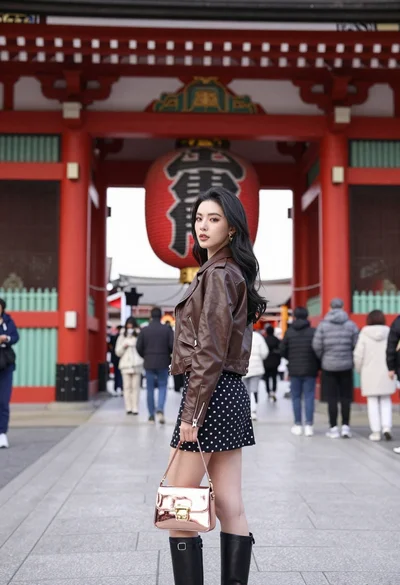
Young woman in leather jacket standing before traditional japanese temple gate

Smiling young woman in pink top and white skirt before sandstone palace
