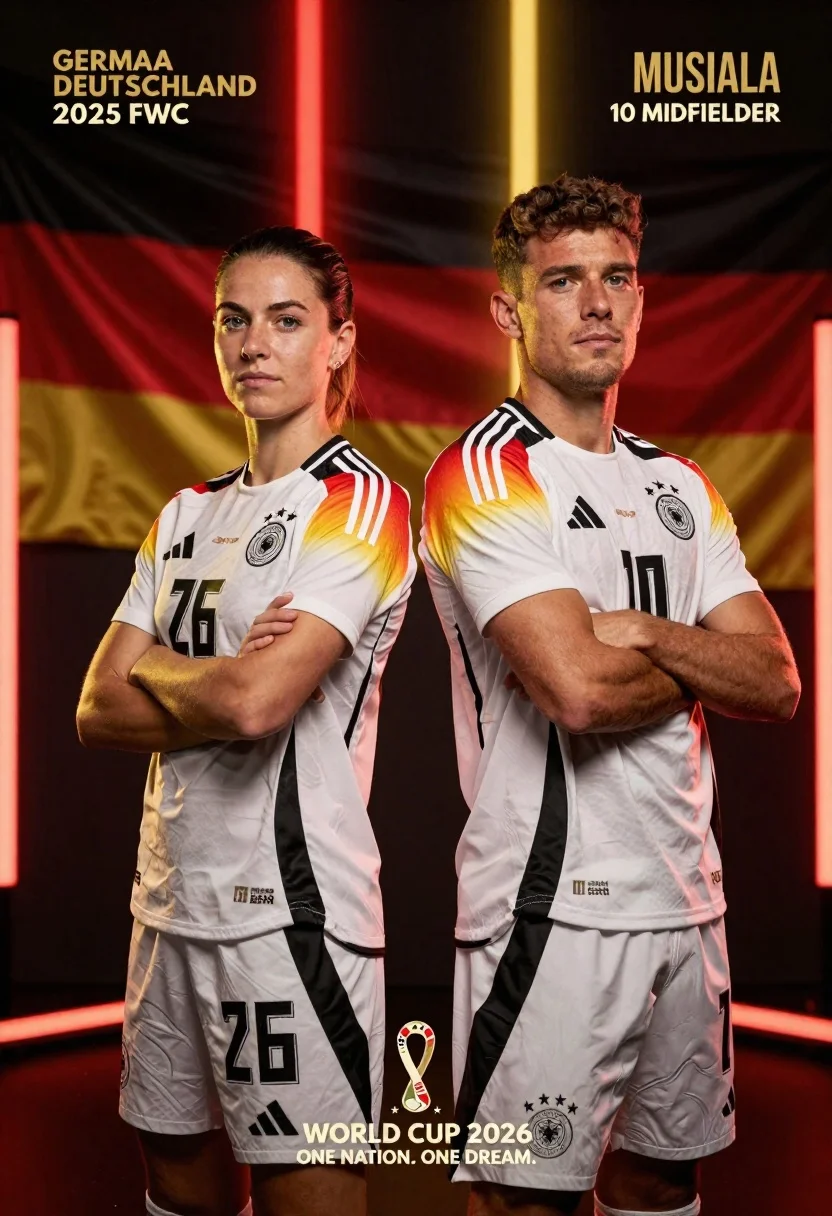
Two german football players stand back to back in white jerseys against
Prompt
Two German football players stand back-to-back in white jerseys with black trim against a dark background featuring vertical red and gold light beams.

Subject: A young woman with short dark hair and blue eyes on the left and a young man with short curly hair on the right, both wearing white Germany national team football kits with black stripes on the shoulders.

Clothing: White Adidas jerseys with black collars, black sleeve cuffs featuring red and gold trim, the German Football Association crest, four stars above the crest, and the World Cup 2026 patch on the left sleeve. The woman wears number 26 and the man wears number 10.

Action: Both subjects stand with arms crossed over their chests in a confident, serious pose facing forward with direct gazes.

Environment: A dark, atmospheric setting with a blurred German flag waving in the background behind vertical beams of red and gold light that divide the composition.

Camera: Medium shot framing both subjects from the waist up, centered composition with a shallow depth of field blurring the background elements.

Lighting: Dramatic studio lighting with strong highlights on faces and shoulders, contrasting shadows, and warm golden tones reflecting off the subjects against the dark backdrop.

Text/Graphics: Gold text reading "GERMANY DEUTSCHLAND" and "2026 FWC" in the upper left corner, "MUSIALA 10 MIDFIELDER" in the upper right corner, and "WORLD CUP 2026 ONE NATION. ONE DREAM." with stars and a crest at the bottom center.

Style Details: Cinematic sports photography style with high contrast, sharp focus on subjects, professional color grading emphasizing red, gold, and white tones, and subtle particle effects in the lower foreground.
Description
This prompt is useful for creating promotional sports posters, cinematic team announcements, and athletic portraiture for merchandise. The combination of 'dramatic studio lighting' with 'strong highlights on faces and shoulders' ensures the athletes pop against the dark backdrop, while specifying 'red and gold light beams' directs the viewer's eye across the composition to emphasize national pride.
Suggestions
- Change 'white Adidas jerseys' to 'matte white fabric' for a less commercial look.
- Swap 'warm golden tones' for 'cool cyan tones' to shift the mood entirely.
- Adjust 'shallow depth of field' to 'deep focus' if you want background details visible.
Category
Tags
FemaleMaleMedium ShotRealistic
Date added
June 26, 2026
Added by
PromptDexter Team
Related Prompts
More prompts with similar categories and tags.
Two athletes in red jerseys stand back to back against a dark
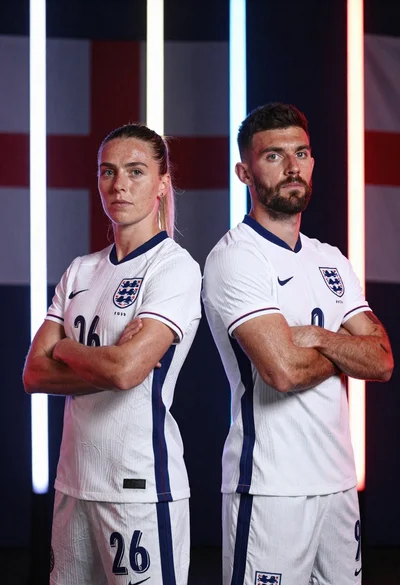
Two football players in white england kits standing back to back with
Smiling woman in white ski gear on snowy mountain slope under blue
Young woman looking at phone outdoors wearing athletic compression wear

Fit blonde woman in athletic wear standing in modern gym setting

Young woman in athletic wear posing in a modern gym studio setting
Handsome man in blue pool water on sunny day
Young woman in athletic wear standing against a plain white wall