
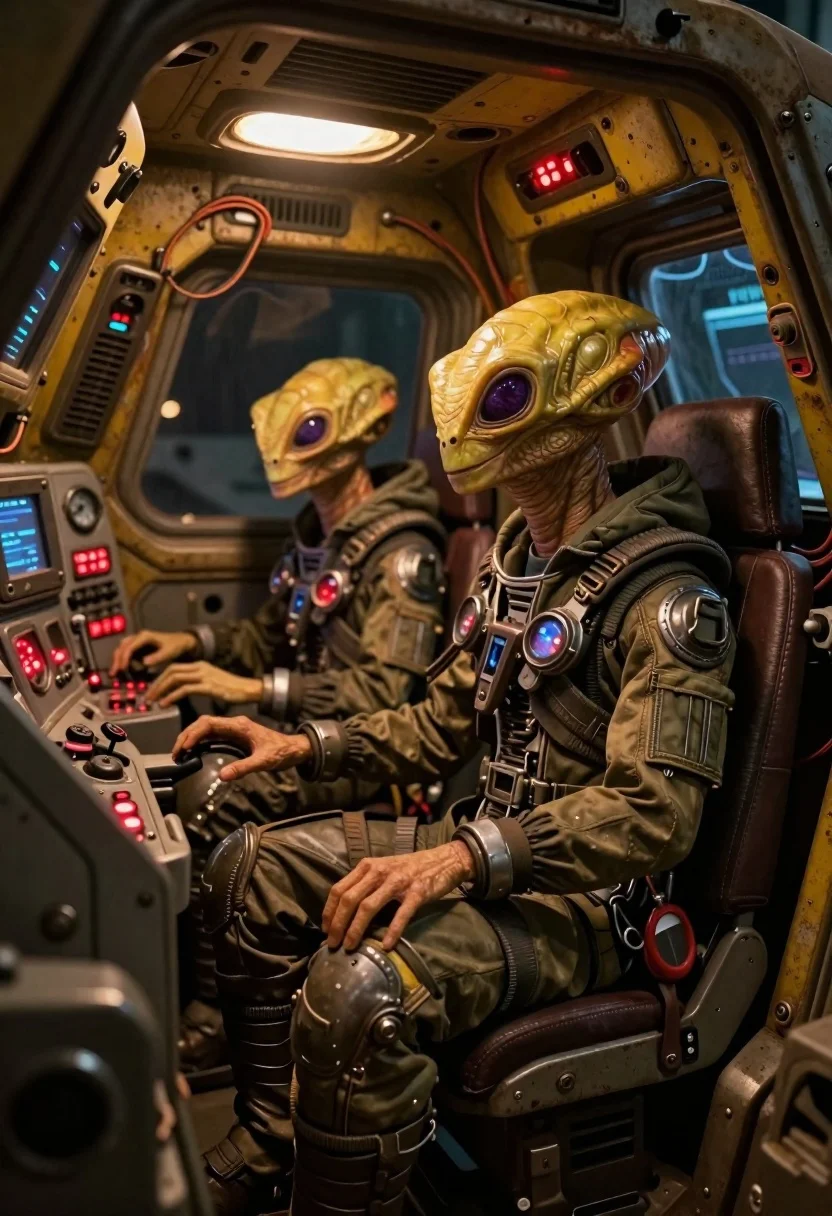
Two reptilian aliens in a worn spacecraft cockpit
Prompt
Subject: Two yellow reptilian aliens with purple eyes and textured skin sit inside a cramped cockpit of a worn-out spacecraft; one wears goggles on its head while both have mechanical gear strapped to their torsos.

Clothing: Both wear rugged, utilitarian flight suits reinforced with metallic straps, buckles, and pouches no shirts underneath visible and heavy-duty boots integrated into the seat structure.

Action: The alien in front sits upright at a console, hands resting near controls; its companion leans slightly forward, gazing toward a glowing red indicator light on the dashboard.

Environment: A cluttered sci-fi cockpit filled with exposed wiring, analog gauges, blinking panels, and yellow-painted metal walls showing signs of wear and grime; overhead lights cast dim ambient glow through vents above.

Camera: Close-up interior shot taken from slightly below eye level, emphasizing depth within the tight space and focusing on facial expressions and console details.

Lighting: Warm artificial lighting dominates glowing red LEDs, blue screen glows, and soft overhead illumination create high contrast against shadowed corners; mood is gritty yet functional.

Style Details: Hyper-realistic digital painting style with detailed textures metal rust, fabric weave, skin pores and cinematic color grading blending industrial grays with vibrant accent hues like crimson and electric blue.
Description
This prompt is useful for creating concept art for alien encounters, gritty sci-fi narrative illustrations, and character design sheets for speculative fiction projects. The combination of 'hyper-realistic digital painting style' with specific elements like 'exposed wiring' and 'metallic straps' grounds the scene in tangible decay, which prevents the cockpit from looking too clean or futuristic, instead emphasizing a lived-in, functional history.
Suggestions
- Change 'yellow reptilian aliens' to 'deep emerald reptilian aliens' for a more menacing look.
- Replace 'glowing red indicator light' with 'flickering amber warning light' to alter the mood.
- Adjust 'industrial grays' to include 'verdigris green' in the color grading.
Category
Tags
3dAnimalsClose UpCreatureFull BodyMaleRobot
Date added
June 19, 2026
Added by
PromptDexter Team
Related Prompts
More prompts with similar categories and tags.

Obsidian humanoid in neon cube holding glowing heart

Astronaut floating in deep space viewing earth

Full body shot of humanoid robot with white wings standing in desolate

Black helmeted robot against a solid red background

Close up profile of detailed robotic head in workshop

Cyborg woman in hoodie with glowing amber circuitry amidst floating autumn leaves
Anthropomorphic robot sitting on white studio background

Biomechanical bird on rock near cyberpunk skyscrapers
