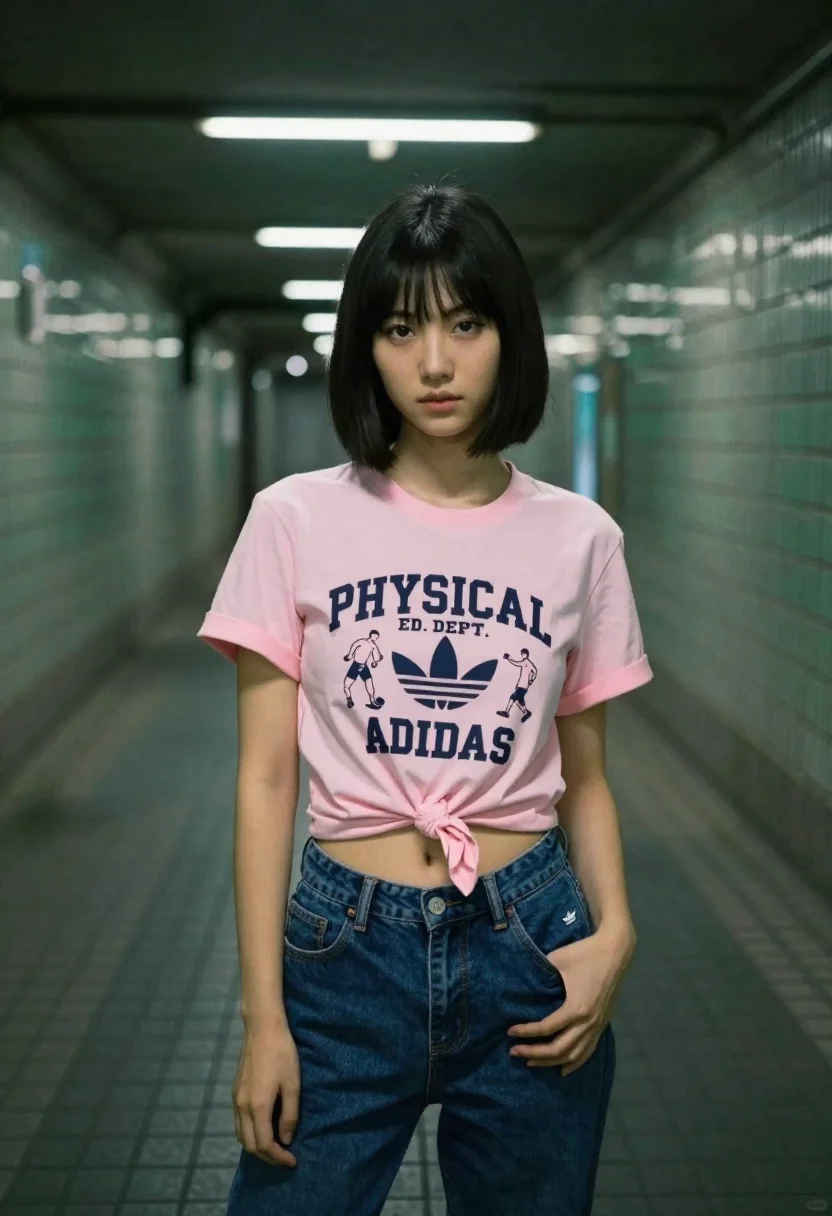
Young asian woman in pink tshirt standing in tiled subway tunnel
Prompt
A young woman with a short black bob stands confidently in the center of a tiled subway tunnel.

Subject: A young Asian woman with a sleek, chin-length black bob haircut and a calm, direct gaze.

Clothing: She wears a light pink t-shirt tied in a knot at the waist to reveal her midriff, featuring a large graphic print that reads "PHYSICAL ED. DEPT." above the word "ADIDAS" surrounded by illustrations of athletes. She pairs this with dark blue denim jeans and has a small Adidas logo visible on the left leg of her pants.

Action: She stands facing forward with a relaxed posture, one hand resting lightly on her hip while the other hangs by her side.

Environment: The setting is an underground subway station or tunnel characterized by green-tiled walls and floor tiles that recede into the distance.

Camera: The shot is taken from a straight-on perspective using a medium framing to capture the subject from the waist up, with a shallow depth of field that blurs the background slightly.

Lighting: Overhead fluorescent tube lights cast a cool, clinical glow on the scene, creating soft highlights on her face and shirt while maintaining a moody atmosphere.

Style Details: The image features a cinematic color palette with high contrast between the pink clothing and the dark green surroundings, rendered in a realistic photographic style.
Description
This prompt is useful for creating editorial street fashion spreads, concept art for athletic brand campaigns, and moody character portraits set in urban environments. The combination of 'overhead fluorescent tube lights' casting a 'cool, clinical glow' against the 'green-tiled walls' establishes a specific, high-contrast aesthetic that grounds the bright 'light pink t-shirt' within an industrial setting, preventing the subject from looking disconnected from her surroundings.
Suggestions
- Change 'light pink t-shirt' to 'neon orange t-shirt' for more visual pop.
- Swap 'green-tiled walls' for 'black subway tiles' to deepen the contrast.
- Adjust 'medium framing' to 'full body shot' to better show the jeans and environment.
Category
Tags
Black HairCasual WearFemaleMedium ShotPortrait ShotRealistic
Date added
June 23, 2026
Added by
PromptDexter Team
Related Prompts
More prompts with similar categories and tags.

Young blonde woman in black slip dress leaning in luxurious bathroom doorway
Blonde woman in teal slip dress leaning on elevator handrail

Woman in green satin slip dress standing in sunlit elegant interior room

Blonde woman in black lace corset top against dark green wall

Confident woman in black dress walks through elegant museum hallway adjusting sunglasses
Blonde woman standing before rustic saloon building on dusty western street

Blonde woman in black gown posing on city street near ritz london

Woman in black crop top posing against purple pink gradient background
