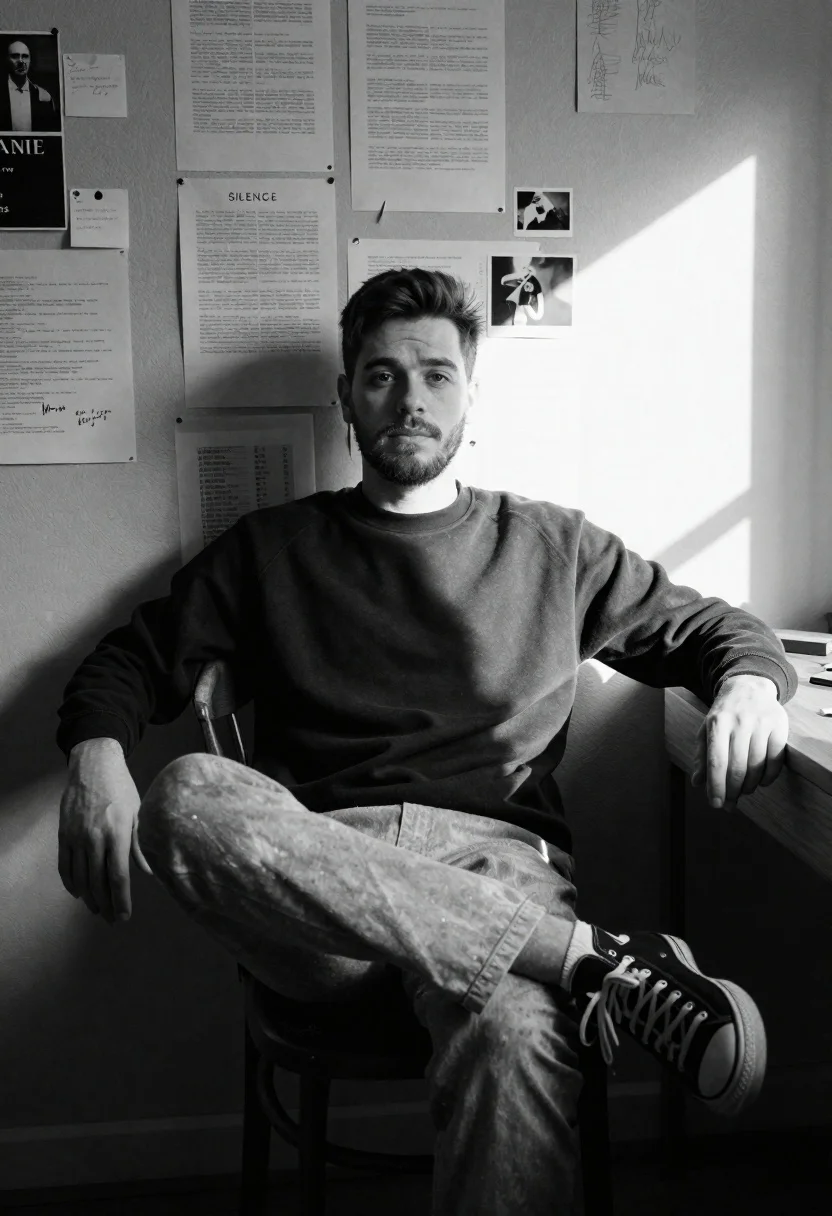
Young man with short dark hair and beard sits on wooden chair
Prompt
A young man with short hair and a light beard sits casually on a wooden chair in a room filled with papers pinned to the wall behind him.

Subject: A young man with short dark hair and a light beard, looking directly at the camera with a calm expression.

Clothing: He wears a dark crewneck sweatshirt, light-colored trousers, and black high-top sneakers with white laces.

Action: He sits in a relaxed pose with one leg crossed over the other, his left hand resting on a wooden desk to his side and his right arm draped over the back of the chair.

Environment: The setting is an indoor room with a textured wall covered in various papers, documents, small photographs, and sticky notes, including one large sheet with the word "SILENCE" printed on it. A strong beam of sunlight cuts diagonally across the right side of the wall.

Camera: The shot is a medium view taken at eye level, capturing the subject from the waist up with a shallow depth of field that keeps the background slightly soft.

Lighting: High-contrast black and white lighting defined by a sharp diagonal shaft of natural sunlight hitting the right side of the room, creating deep shadows on the left and illuminating the dust in the air.

Style Details: The image is rendered in high-contrast black and white with a grainy texture that mimics film photography, emphasizing the stark interplay between light and shadow.
Description
This prompt is useful for creating cinematic character portraits, moody editorial spreads, and conceptual fine art prints exploring themes of thought or confinement. The combination of 'high-contrast black and white lighting' with a 'sharp diagonal shaft of natural sunlight' sculpts the subject by emphasizing deep shadows on the left while illuminating airborne dust, which adds tangible texture to the otherwise flat background elements like the pinned papers.
Suggestions
- Change 'dark crewneck sweatshirt' to 'charcoal wool sweater' for more visual weight.
- Swap 'wooden chair' for 'industrial metal stool' to alter the setting's tone.
- Adjust 'grainy texture that mimics film photography' to 'Kodak Tri-X 400 grain' for a specific cinematic feel.
Category
Tags
B&wCasual WearIndoorsLight SkinMaleMedium ShotRealistic
Date added
June 26, 2026
Added by
PromptDexter Team
Related Prompts
More prompts with similar categories and tags.

Young woman in white blouse leaning against beige wall near mirror

Young woman in floral shirt listening to music with closed eyes in

Young woman sitting on couch in cluttered room with posters and advertisements

Man crouching in dimly lit parking garage with strong sunlight casting long

Young man crouching outdoors with golden sunset backlighting through trees

Man sitting on park bench holding flowers in pensive pose outdoors

Young woman in pink tiedye slip dress reclining on ornate vintage sofa
Black and white portrait of man in classroom setting