
Young woman in black dress against concrete wall and green foliage
Prompt
A young woman with long dark wavy hair stands in a dimly lit outdoor setting at night.

Subject: A woman with fair skin and long, voluminous black wavy hair cascading over her shoulders. She has defined eyebrows, subtle eye makeup, and glossy nude lips. Her expression is neutral and she looks directly at the camera.

Clothing: She wears a tight-fitting black dress featuring a sweetheart neckline adorned with red rose embroidery along the scalloped edge. The bodice appears to be made of a textured fabric, possibly lace or velvet, while the skirt flows loosely. A thin black strap is visible on her left shoulder.

Action: She stands facing forward in a relaxed pose, looking directly at the viewer. Her posture is upright and confident.

Environment: The background consists of a dark grey concrete wall to her right and dense green foliage to her left, suggesting an outdoor patio or garden area at night.

Lighting: The scene is lit by a soft, direct flash that illuminates her face and upper body against the darker surroundings, creating high contrast between the subject and the shadowed background.

Camera: A medium close-up shot with a shallow depth of field that keeps the subject sharp while slightly blurring the foliage in the immediate background.

Style Details: The image has a grainy, low-light aesthetic typical of smartphone photography at night, with a cool color temperature and natural skin tones.
Description
This prompt is useful for creating moody editorial portraits, cinematic character studies, and atmospheric fashion editorials that mimic spontaneous nighttime captures. The combination of 'soft, direct flash' against the 'dark grey concrete wall' establishes a high-contrast drama, while specifying a 'grainy, low-light aesthetic' prevents the image from looking overly polished or studio-lit, grounding it in a believable outdoor setting.
Suggestions
- Change 'red rose embroidery' to 'silver beadwork' for a cooler tone.
- Swap 'dimly lit outdoor setting at night' for 'underneath sodium vapor streetlights' for more color variation.
- Adjust the camera by adding '85mm lens' to compress the background further.
Category
Tags
Black HairBrunetteFair SkinFemaleOutdoorsRealistic
Date added
June 19, 2026
Added by
PromptDexter Team
Related Prompts
More prompts with similar categories and tags.
East asian woman in pale green hanfu robe near white blossoms

Smiling young woman in white ruffled dress between green topiary bushes

Blonde woman in black hat standing in misty green rolling hills

Young woman in olive saree leaning on railing outdoors during golden hour

Smiling young woman in white kurta outdoors with green trees background

Young woman with dark hair at wooden table in open air setting
Smiling young woman in gingham dress holding red rose on pebbly beach

Smiling young woman in maroon top standing outdoors with blurred background

Woman with dark reddish hair holding strand near chest outdoors
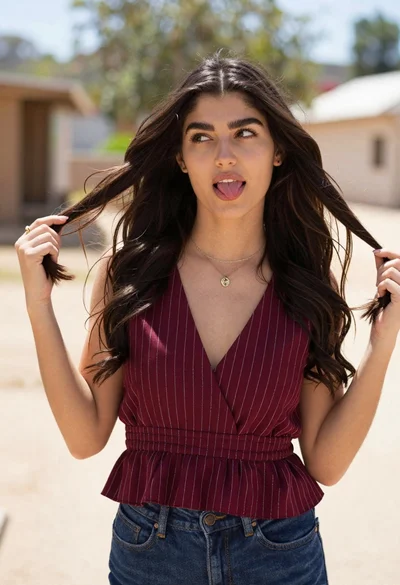
Young woman playfully sticking tongue out holding dark hair outdoors in daylight