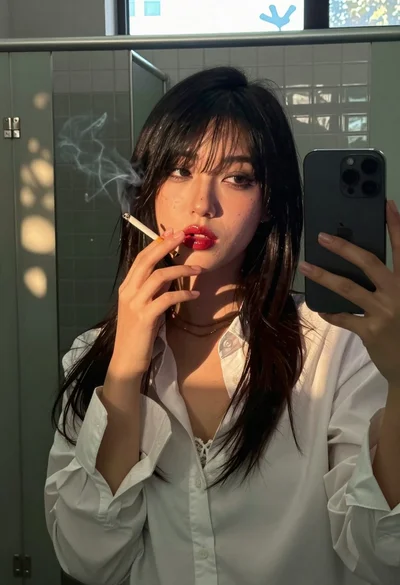
Young woman taking a mirror selfie in a tiled public restroom setting
Prompt
A young woman taking a mirror selfie in a public restroom while holding a smartphone.

Subject: A young woman with long dark hair tied back in a high ponytail, standing in profile facing left while looking over her shoulder at the camera.

Clothing: She is wearing a tight black short-sleeved t-shirt and white biker shorts that fit closely to her legs.

Action: She holds a silver smartphone up with her right hand to capture her reflection in the mirror, posing with one hip slightly thrust forward.

Environment: The setting is a tiled public restroom with beige marble-patterned walls, a large rectangular mirror reflecting the scene, and a toilet visible behind her.

Objects: A black paper towel dispenser labeled "LIFE TIME" is mounted on the wall to the right, and silver grab bars are attached to the wall near the toilet.

Lighting: The lighting is bright and even, typical of indoor artificial restroom lighting, casting soft shadows against the tiled walls.

Camera: The shot is a medium close-up taken from the perspective of the mirror reflection, capturing the subject from the waist up with a slight tilt.

Style Details: The image has a candid, unposed aesthetic with natural skin tones and realistic textures on the clothing and tiles.
Description
This prompt is useful for creating relatable social media content, character concept art for modern narratives, and lifestyle blog photography featuring everyday settings. The combination of 'bright and even' artificial lighting and the specific inclusion of mundane objects like a 'black paper towel dispenser' grounds the image in reality, preventing an overly stylized or studio-shot appearance that would undermine the candid nature of the mirror selfie.
Suggestions
- Change 'beige marble-patterned walls' to 'glossy subway tiles' for more visual interest.
- Add 'slight ring light reflection on phone screen' to enhance the selfie feel.
- Modify 'medium close-up' to 'waist shot' to better capture the biker shorts.
Category
Tags
Black HairBrunetteCasual WearFemaleMedium ShotRealisticSelfie
Date added
June 19, 2026
Added by
PromptDexter Team
Related Prompts
More prompts with similar categories and tags.

Young woman taking a selfie seated in a car interior during daylight
Young woman taking a mirror selfie in an indoor hallway setting

Nighttime portrait of woman in hoodie against city buildings

Young woman taking a mirror selfie in a modern bedroom setting

Young woman taking mirror selfie in black tank top and lavender leggings
Young woman taking a mirror selfie in warmly lit room
Young woman taking mirror selfie in black lingerie at bedroom

Young woman taking mirror selfie with smartphone in sketchy illustration style
Young woman with blonde hair taking a mirror selfie in a clothing

Close up mirror selfie of young woman in sailor collar at dimly