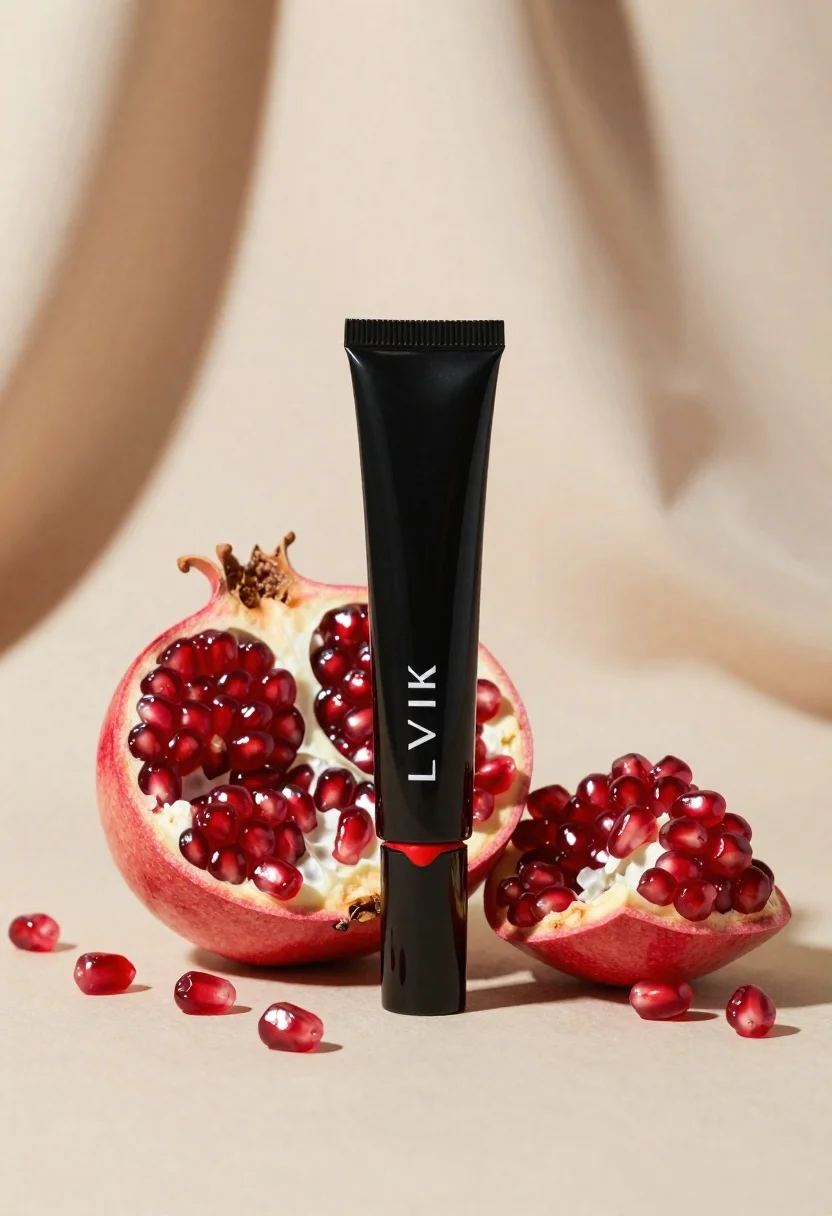
Black makeup tube next to open red pomegranate on beige background
Prompt
A high-end beauty product shot featuring a sleek black cosmetic tube standing upright beside a vibrant red pomegranate that has been split open to reveal glistening seeds; the composition is minimalistic and elegant, emphasizing rich textures against a soft, neutral backdrop

Subject: A glossy black cylindrical makeup tube with a matte finish cap and bold crimson liquid dripping down its side, displaying the brand name 'LVIK' in white script.

Action: The pomegranate sits partially broken open to expose its juicy red arils; scattered seeds lie on the surface around the main fruit and tube base.

Environment: A smooth, creamy beige setting with subtle draped fabric folds in the background creating depth and a luxurious feel.

Camera: Close-up product photography angle focusing sharply on the central elements while softly blurring the distant background for an artistic bokeh effect; centered horizontal framing highlighting symmetry between the organic fruit shape and geometric tube design.

Lighting: Warm directional light from above casting gentle shadows that enhance texture contrast, giving depth to both the pomegranate's translucent seeds and the matte-black surface of the cosmetic container.
Description
This prompt is useful for creating high-end beauty advertisements, editorial still life photography, and luxury packaging mockups. The combination of 'warm directional light from above casting gentle shadows' accentuates the wet sheen of the pomegranate's arils against the dry matte finish of the cosmetic tube, while the 'creamy beige setting' ensures the bold crimson elements remain the primary focal point without visual competition.
Suggestions
- Change 'glossy black cylindrical makeup tube' to 'brushed aluminum lipstick case' for a different material feel.
- Swap 'vibrant red pomegranate' for 'deep purple figs' to alter the color palette.
- Adjust 'softly blurring the distant background' to 'shallow depth of field, 85mm lens' for more specific camera control.
Category
Tags
Close UpFoodMacro ShotRealisticStudio
Date added
June 19, 2026
Added by
PromptDexter Team
Related Prompts
More prompts with similar categories and tags.
Still life composition of red incense holders with smoke on dark wood

Macro shot of pink soda can with peaches and ice cubes studio
White shopping bag overflowing with fresh broccoli florets
Black supplement bottle with chromatic aberration in void

Closeup product shot of hand holding frosted glass spray bottle with colorful

Clear glass serum bottle with lemons and water splashes in studio

Neutrogena acne wash bottle suspended in midair with splashing liquid

Ginger cat dressed as fast food worker holding cheeseburger