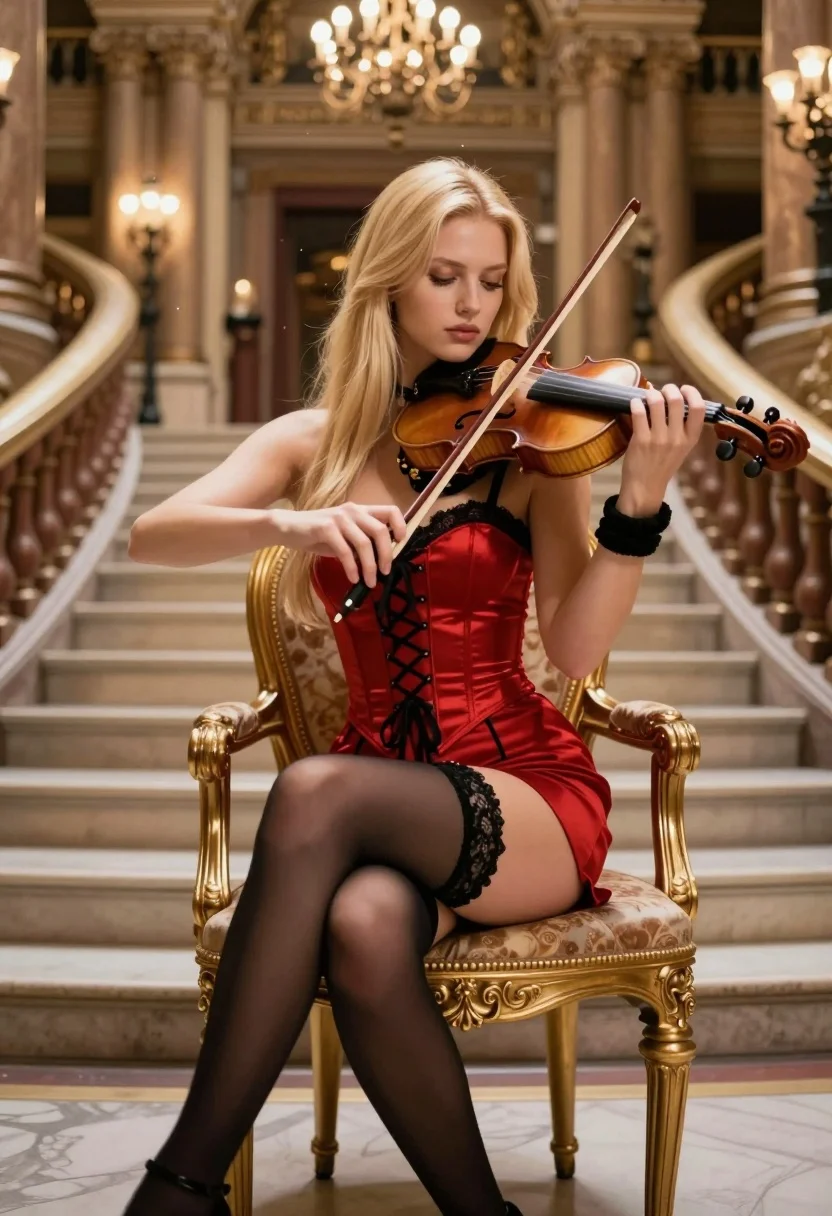
Blonde woman playing violin on ornate chair in grand palace hall
Prompt
A blonde woman sits gracefully on an ornate golden chair in a grand hall, playing the violin with focused intensity.

Subject: A young woman with long straight blonde hair and fair skin, her eyes cast downward in concentration as she plays the instrument.

Clothing: She wears a red corset-style top with black lace trim and lacing down the front, paired with a matching short red skirt featuring side ties, black sheer stockings held up by lace garters, and black high heels. A black choker necklace sits at her neck, and a wide black wristband is on her left arm.

Action: She holds a wooden violin under her chin with her left hand on the fingerboard and draws the bow across the strings with her right hand, seated in a relaxed but poised posture.

Environment: The setting is a luxurious interior resembling a palace or opera house, featuring a sweeping marble staircase behind her, tall columns, intricate architectural details, and warm ambient lighting from chandeliers hanging from the ceiling.

Camera: The shot is a medium view capturing the subject from the waist up with a shallow depth of field that blurs the background slightly to emphasize her form and expression.

Lighting: Soft, warm light emanates from the chandeliers above, casting gentle highlights on her hair and face while creating subtle shadows that define her features and clothing textures.

Style Details: The image has a cinematic quality with rich colors, smooth skin rendering, and a slightly dreamy atmosphere enhanced by floating dust motes in the air.
Description
This prompt is useful for creating historical portraiture, operatic scene visualizations, and high-end costume concept art. The combination of 'ornate golden chair' against the backdrop of a 'sweeping marble staircase' grounds the subject in opulence, while the 'soft, warm light' prevents harsh shadows that would detract from the intended dreamy atmosphere.
Suggestions
- Change 'red corset-style top' to 'velvet bodice' for a richer texture.
- Add 'Baroque painting style' to shift the aesthetic away from photorealism.
- Swap 'floating dust motes' for 'single shaft of sunlight' to create more dramatic contrast.
Category
Tags
Black HairBlondeFair SkinFemaleIndoorsMedium ShotPortrait ShotRealisticRed Hair
Date added
August 5, 2026
Added by
PromptDexter Team
Related Prompts
More prompts with similar categories and tags.
Blonde woman with side braid drinking from soda can indoors
Young woman with red hair seated at wooden desk in cozy studio

Cheerful young woman in sparkly red top posing by decorated christmas tree

Blonde woman at a bar counter in dimly lit pub
Woman with black hair leaning indoors by glass railing in bright modern

Blonde woman smiling with green lollipop in brightly lit candy store

Young woman in black crop top and cream trousers indoors looking over
Woman in blue skirt adjusting sandal on leather sofa indoors

Woman in black dress seated in dimly lit diner booth

Medium full length portrait of woman in brown mesh dress