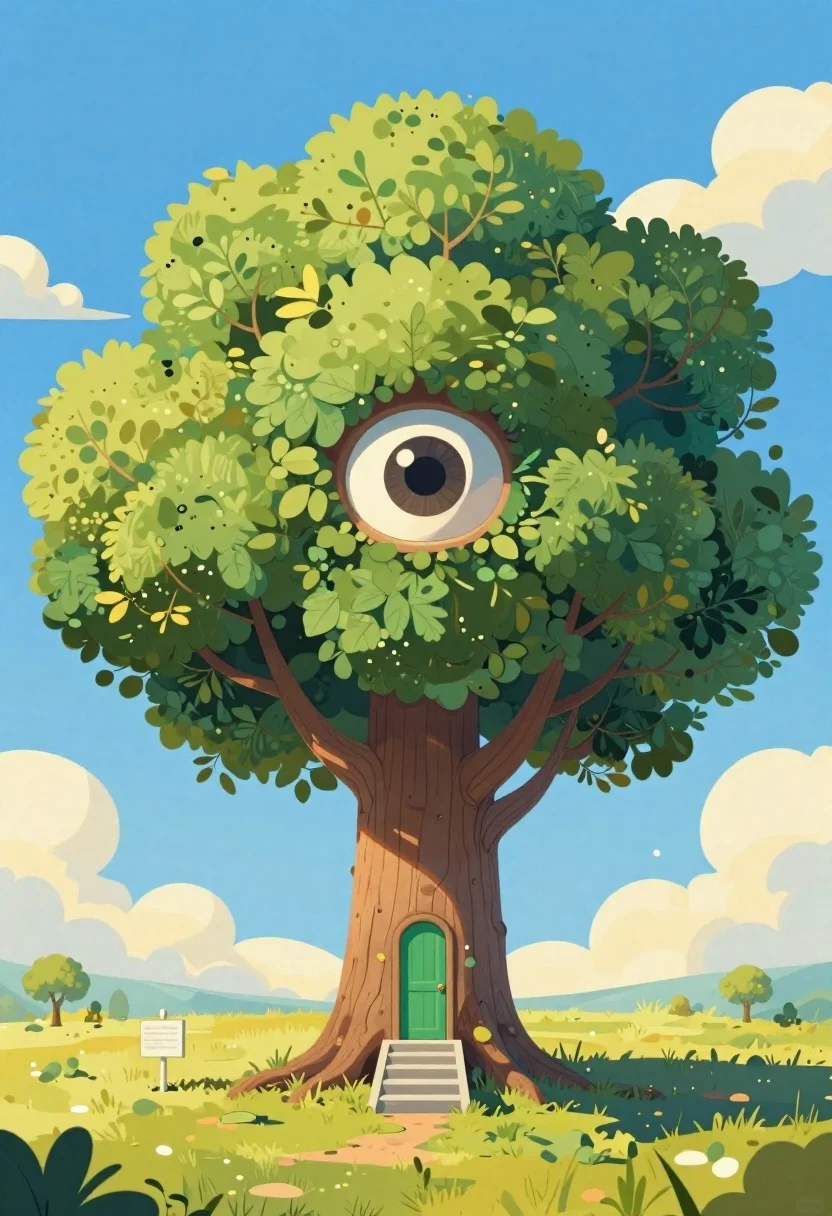
Cartoon surreal treehouse with giant eye and green door
Prompt
A cartoon illustration of a surreal treehouse with a giant human eye embedded in the foliage and a green door set into the trunk

Subject: A massive tree with three layered, cloud-shaped canopies featuring intricate leaf details

Action: Static scene with no movement or gesture evident from any elements present in image frame alone

Environment: Bright blue sky background accented by fluffy yellow clouds floating above horizon line against flat golden-yellow grassy terrain below ground level where circular shadow surrounds root area around staircase leading up to entrance door located centrally within trunk section of tree structure itself serving as focal point for entire composition while small white signpost stands near left edge providing subtle sense of scale

Camera: Medium shot framing captures full height of treehouse from bottom of stairs all way through canopy reaching nearly top portion of image suggesting slightly low angle perspective emphasizing grandeur and imposing nature thereof.

Lighting: Uniform daylight illumination creates soft shadows beneath leaves indicating overhead light source casting gentle contrast between lighter upper surfaces facing directly towards viewer versus darker recessed areas behind them adding depth dimensionality overall appearance while maintaining vibrant color saturation typical midday setting conditions observed throughout picture plane

Other Subjects: No additional figures or creatures discernible within given context provided here today.

Objects: Small rectangular green door mounted flush onto front face of tree trunk accompanied by short grey stone steps ascending toward it.
Description
This prompt is useful for creating whimsical children's book illustrations, surreal landscape concept art, and imaginative world-building visuals. The combination of a 'giant human eye embedded in the foliage' with the 'bright blue sky background accented by fluffy yellow clouds' establishes an immediate sense of uncanny wonder, while the 'low angle' perspective forces the viewer to look up at the structure, emphasizing its imposing scale against the bright daylight illumination.
Suggestions
- Change 'cartoon illustration' to 'whimsical watercolor painting' for a softer feel.
- Swap 'green door' for 'deep indigo door' to contrast with the foliage.
- Adjust 'fluffy yellow clouds' to 'streaky white cirrus clouds' for more drama.
Category
Tags
Digital ArtForestLow AngleMedium ShotNatureOutdoors
Date added
June 19, 2026
Added by
PromptDexter Team
Related Prompts
More prompts with similar categories and tags.
Young woman kneeling by mystical pond with deer and whales in forest
Serene fantasy landscape river mountains aurora borealis ancient tree white stag

Angelic figure in white gown standing in mystical glowing forest clearing
Minecraft style voxel sunflower field in a lush green forest clearing
Ancient tree on a jagged cliff overlooking cosmic nebula
Tree with red leaves on stone wall under orange sun
Fairy woman in sunlit forest clearing with glowing wings

Knight in dark armor holding white cat amidst pink flowers and mountains