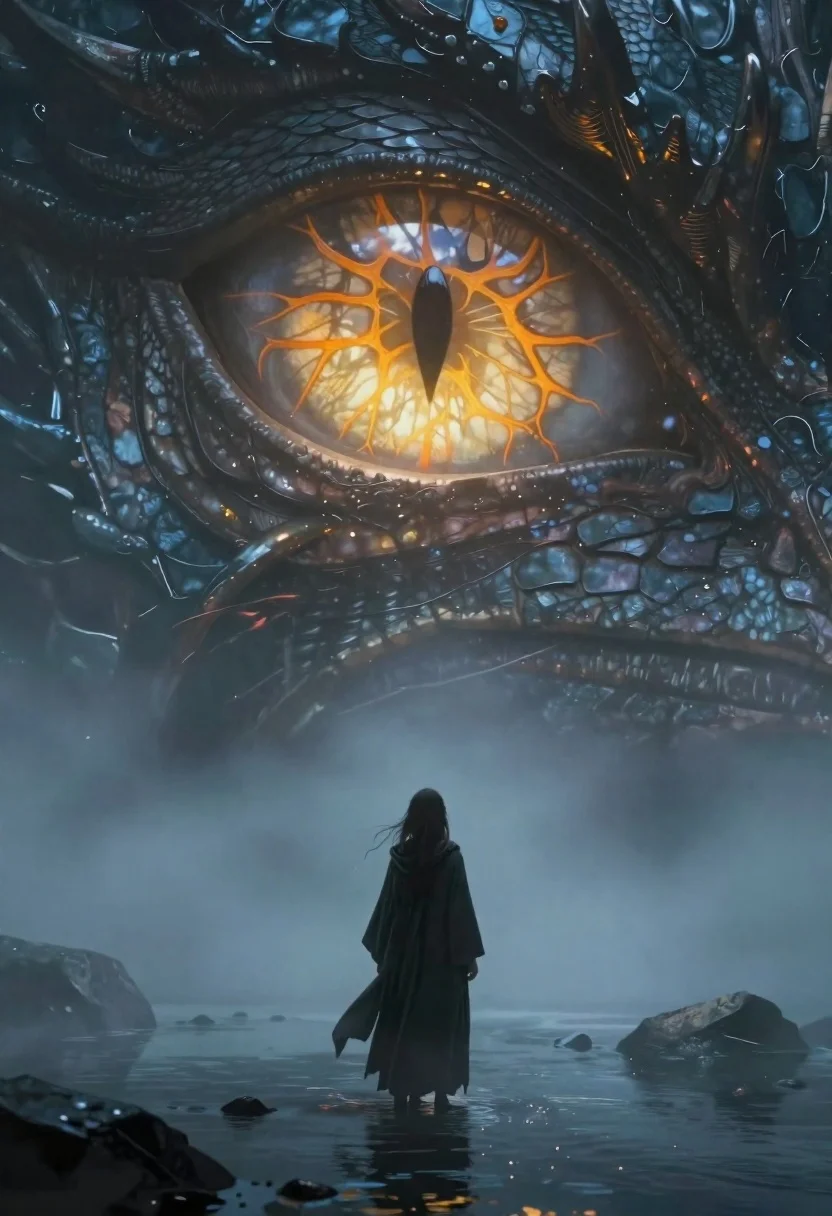
Figure before colossal glowing dragon eye in misty water
Prompt
A cinematic fantasy scene featuring a lone figure standing in shallow water before the colossal eye of a mythical beast.

Subject: A person with long hair wearing a dark hooded cloak, viewed from behind looking up at the giant creature.

Other Subjects: The head and massive reptilian eye of a dragon-like entity dominating the frame; detailed scales surround the orb-shaped iris filled with glowing orange veins and a vertical black pupil reflecting the sky above.

Environment: A misty landscape surrounding the figure's legs, scattered dark rocks in shallow water, fog obscuring the lower body of both figures.

Lighting: Dramatic contrast between cool ambient blue tones and warm golden light emanating from within the creature's glowing eye; soft atmospheric glow diffused through thick fog.

Camera: Wide-angle perspective emphasizing scale difference; low viewpoint looking upward toward the giant eye creating a sense of awe and vulnerability.

Style Details: Highly detailed textures on skin, scales, fabric; ethereal mood with painterly yet realistic rendering style reminiscent of high-fantasy concept art or digital painting.
Description
This prompt is useful for creating epic fantasy book covers, cinematic movie poster concepts, and dramatic character introduction scenes. The combination of 'low viewpoint looking upward' and the 'wide-angle perspective emphasizing scale difference' immediately establishes a sense of awe and vulnerability, which is crucial for making the colossal eye feel overwhelmingly powerful against the lone figure.
Suggestions
- Change 'glowing orange veins' to 'electric cyan veins' for a different color contrast.
- Add 'volumetric god rays' to enhance the atmospheric glow.
- Swap 'dark hooded cloak' for 'tattered velvet robes' to change the texture.
Category
Tags
Digital ArtForestFull BodyLow AngleRuinsWide Shot
Date added
June 19, 2026
Added by
PromptDexter Team
Related Prompts
More prompts with similar categories and tags.
Lone figure in red robes at bottom of massive canyon
Cosmic spirit standing in water viewed by small child
Hooded figure in misty dark canyon gorge
Supernatural entity in stone archway with blue lightning
Mysterious hooded figure in desolate ruined landscape
Female survivor in ruined cityscape with glowing embers
Anime woman in black dress in a misty forest stream

Obsidian humanoid in neon cube holding glowing heart
