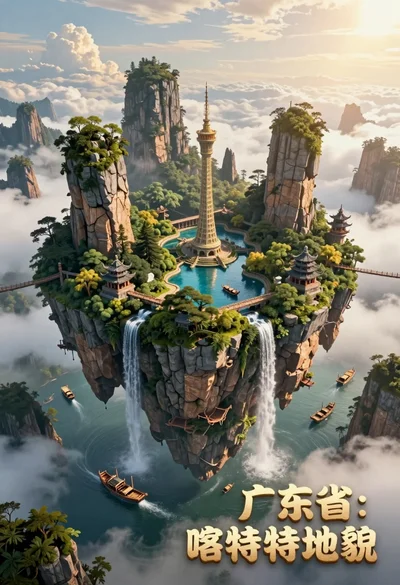
Majestic floating island landscape with pagoda rivers and misty clouds
Prompt
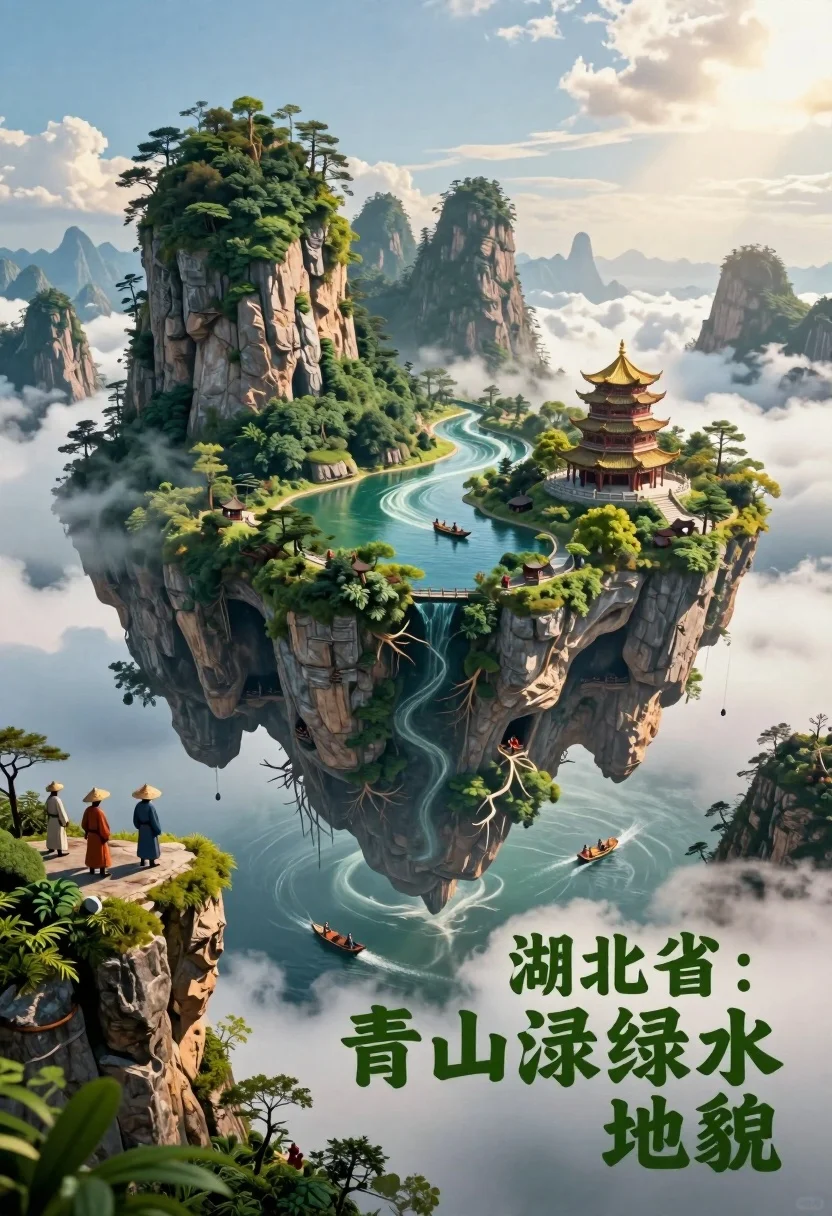
A majestic floating island landscape suspended in the sky, featuring lush greenery, winding rivers, and dramatic cliffs.

Subject: A massive, surreal floating landmass composed of dense forests, towering karst mountains, and a central body of water with intricate river channels.

Clothing: Small figures on the left cliff edge wear traditional conical hats and simple robes, resembling ancient Chinese farmers or travelers.

Action: Tiny boats navigate the winding rivers below, while people stand along the cliff edges observing the scenery.

Environment: The island floats above a sea of clouds with mist clinging to the mountain peaks; the underside reveals exposed roots and caverns beneath the cliffs.

Camera: Wide-angle perspective capturing the entire floating landmass, emphasizing scale and grandeur.

Lighting: Soft golden sunlight filters through the clouds from the upper right, casting gentle shadows and highlighting the vibrant greens and blues of the landscape.

Subject: A prominent multi-tiered pagoda with a golden roof sits atop a cliff on the right side of the island.

Objects: Numerous small boats sail along the rivers; caves are visible beneath the cliffs; mist swirls around the mountain peaks.

Text/Graphics: Large 3D Chinese characters in green stone texture read "湖北省:青山绿水地貌" (Hubei Province: Green Mountains and Clear Waters Landscape) floating near the bottom right.

Style Details: Cinematic digital art style with hyper-realistic textures, dramatic depth of field, and a fantasy-inspired color palette emphasizing nature and serenity.
Description
This prompt is useful for creating concept art for high fantasy video games, architectural visualization pieces, or elaborate travel posters depicting mythical locales. The combination of 'soft golden sunlight' filtering through the clouds and the inclusion of 'exposed roots and caverns beneath the cliffs' grounds the surreal floating landmass in believable physics while maintaining a sense of wonder suitable for epic scale.
Suggestions
- Change 'golden roof' to 'verdigris copper roof' for an aged look.
- Swap 'dense forests' for 'bamboo thickets' to change the foliage texture.
- Adjust 'wide-angle perspective' to 'aerial drone shot' for a different sense of height.
Category
Tags
3dDigital ArtOutdoorsRooftopWide Shot
Date added
July 3, 2026
Added by
PromptDexter Team
Related Prompts
More prompts with similar categories and tags.

Obsidian humanoid in neon cube holding glowing heart

Woman in blue qipao standing in neon lit fighting game arena

Macro photograph of tiny beach scene inside tipped teacup with cascading water

Macro photograph of tiny beach scene in a tipped teal teacup

Futuristic soldier in heavy snowfall on an urban street

Close up portrait of serene bust with gold kintsugi cracks
Majestic fairytale castle in a vibrant fantasy garden

Muscular turtle in combat gear on wet city pavement

Astronaut portrait against pale blue sky background

Glowing pixel hands touching in a cosmic void