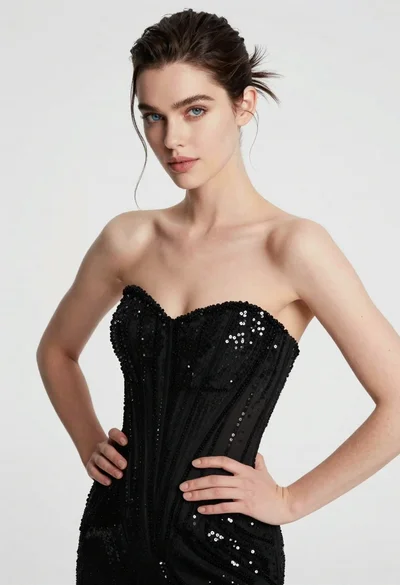
Poised woman in black embroidered velvet gown against soft white drapes
Prompt
A poised woman with dark hair pulled back into a sleek ponytail stands in an elegant indoor setting.

Subject: A woman with fair skin and dark brown eyes looking slightly to the side with a soft smile. Her makeup features defined eyeliner and glossy nude lips.

Clothing: She wears a black strapless velvet gown adorned with large, intricate floral embroidery in cream, gold, and pink tones. The dress is cinched at the waist with a wide black belt featuring a square buckle. She wears long black velvet gloves that extend past her elbows.

Action: Her head is turned slightly to her right while her shoulders face forward, creating a graceful profile view. Her expression is calm and composed.

Environment: The background consists of soft, out-of-focus white curtains or drapes hanging vertically, suggesting a bright window behind her.

Lighting: Soft, diffused natural light illuminates the scene from the front left, casting gentle highlights on her skin and creating subtle shadows that define her features.

Camera: A medium close-up shot framed to capture the subject from the waist up, utilizing a shallow depth of field to blur the background curtains.

Style Details: High-resolution photography with a polished, high-fashion aesthetic, emphasizing texture and elegance.
Description
This prompt is useful for creating editorial fashion moodboards, formal portraiture for bridal or couture lines, and luxury catalog imagery. The combination of 'black strapless velvet gown' against 'soft, out-of-focus white curtains' directs the viewer's eye to the subject while using 'soft, diffused natural light' to gently model the rich texture of the embroidery without harsh reflections.
Suggestions
- Change 'intricate floral embroidery in cream, gold, and pink tones' to 'geometric silver embroidery' for a modern feel.
- Adjust 'medium close-up shot' to 'full body shot' to better display the gown's silhouette.
- Replace 'soft, diffused natural light' with 'dramatic chiaroscuro lighting' for higher contrast.
Category
Tags
Brown HairBrunetteFair SkinFemaleFormal WearIndoorsRealistic
Date added
June 19, 2026
Added by
PromptDexter Team
Related Prompts
More prompts with similar categories and tags.

Poised woman in black gown posing indoors with dramatic low key lighting

Portrait of woman in elaborate red feathered gown against vivid blue background

Fair skinned woman in black blazer against white studio wall
Glamorous woman in shimmering pink saree against dark studio background
Woman in silver gown against warm draped curtain backdrop medium shot

Woman with brown hair in white top and black skirt indoors
Young woman in white crop top and sequined skirt in decorated bedroom
Glamorous woman in sequin dress holding champagne with falling gold confetti
Woman in burgundy gown standing in elegant room with candlelight accents
Close up portrait of woman in sequined top against beige curtain backdrop