Soft portrait of young woman with dark wavy hair wearing white fur
Prompt
A soft-focus portrait of a young woman with long dark wavy hair looking over her shoulder at the camera.

Subject: A young woman with fair skin and long, dark brown wavy hair that falls loosely around her shoulders and back. She has a gentle expression with a slight smile and is wearing subtle makeup featuring rosy cheeks and soft pink lips.

Clothing: She wears a light green or sage-colored spaghetti strap top visible beneath a large, fluffy white fur stole draped over her arms and chest.

Action: The woman is posed in a three-quarter view, turning her head to look back directly at the viewer with a calm and inviting gaze. Her posture is relaxed as she holds the fur close to her body.

Environment: The background is a plain, neutral light gray wall that provides a clean and unobtrusive backdrop for the portrait.

Lighting: Soft, diffused lighting illuminates the scene from the front-left, casting gentle shadows on the right side of her face and creating a smooth, flattering glow on her skin.

Style Details: The image features a high-fashion editorial aesthetic with a focus on texture and softness, characterized by a shallow depth of field that blurs the background slightly to emphasize the subject's hair and facial features.
Description
This prompt is useful for creating intimate beauty editorials, luxury brand lookbooks, and fine art portraiture requiring soft focus. The combination of 'soft-focus portrait,' 'diffused lighting,' and a 'shallow depth of field' ensures that the viewer's attention remains tightly focused on the subject's 'gentle expression' and the tactile quality of the fur stole, preventing any harsh lines or distracting background elements.
Suggestions
- Change 'light green or sage-colored spaghetti strap top' to 'ivory silk camisole' for a warmer tone.
- Add 'bokeh effect' to enhance the background blur.
- Swap 'plain, neutral light gray wall' for 'textured plaster backdrop' to add subtle visual interest.
Category
Tags
BrunetteCasual WearFair SkinFemalePortrait ShotRealisticStudio
Date added
June 19, 2026
Added by
PromptDexter Team
Related Prompts
More prompts with similar categories and tags.

Young woman in blue denim jacket posing against pale pink seamless background

Blonde woman in striped swimsuit seated on sofa indoors studio shot

Confident woman in embellished denim jumpsuit against a gray studio backdrop

Young woman in black graphic tshirt against white paneled wall

Glamorous woman posing in shimmering two piece outfit against green backdrop

Woman in sheer crystal gown looking over shoulder at event backdrop
Poised woman in black fur stole against a plain light grey studio
Confident young woman in matching red sequined outfit against solid grey studio
Young woman in mustard yellow traditional indian attire studio portrait
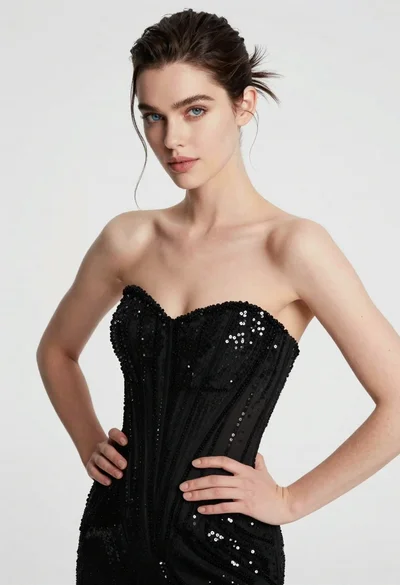
High fashion portrait of woman in sequined black gown against white studio