
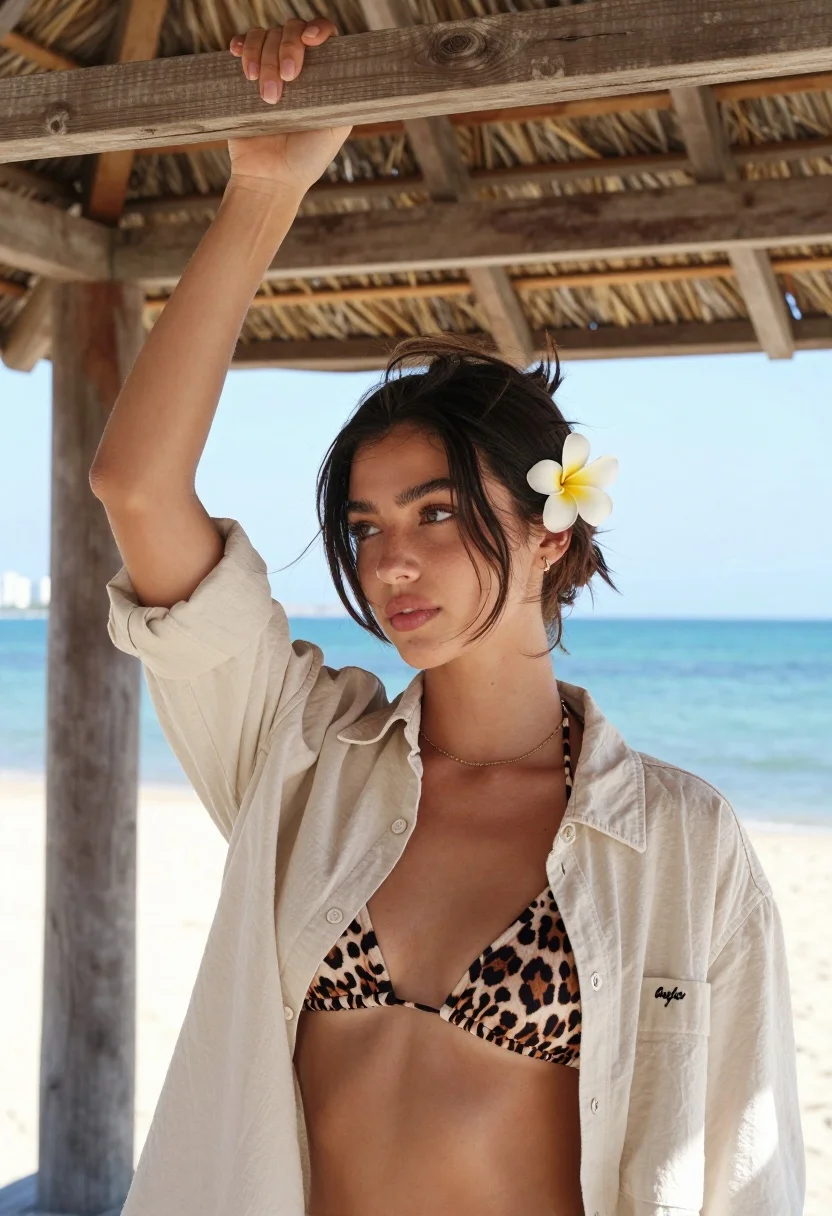
Young woman in beige shirt under thatched roof overlooking turquoise ocean
Prompt
A young woman with dark hair pulled back stands under a wooden thatched roof structure, holding the beam above her head with one arm raised while gazing thoughtfully to the side.

Subject: A young woman with dark brown hair styled in a messy updo, featuring loose wisps of hair framing her face and a white plumeria flower tucked behind her left ear. She has fair skin, defined eyebrows, and a soft, contemplative expression.

Clothing: She wears an unbuttoned beige button-down shirt over a leopard-print bikini top, accessorized with a delicate gold chain necklace and a small embroidered logo on the shirt's chest.

Action: Her right arm is raised high to grip the wooden beam of the roof structure above her head, while she looks away from the camera with a relaxed posture.

Environment: The setting is an open-air beachside gazebo or hut with a wooden frame and thatched roof, overlooking a calm turquoise ocean with distant city buildings visible on the horizon under a bright blue sky.

Lighting: Bright natural daylight illuminates the scene evenly, creating soft shadows and highlighting the textures of the wood and fabric without harsh contrast.

Camera: A medium close-up shot taken at eye level with a shallow depth of field that keeps the subject sharp while softly blurring the ocean background.

Style Details: The image features a clean, high-resolution aesthetic with natural color grading and a focus on casual summer fashion photography.
Description
This prompt is useful for creating resort lifestyle editorials, beachwear lookbooks, and serene portraiture featuring tropical backdrops. The combination of 'bright natural daylight' ensuring even illumination across the 'beige button-down shirt' prevents harsh shadows that would distract from the subject's contemplative expression, while the 'shallow depth of field' isolates her against the turquoise ocean.
Suggestions
- Change 'leopard-print bikini top' to 'solid terracotta bikini top' for color harmony.
- Swap 'wooden thatched roof structure' for 'rattan gazebo structure' for a different texture.
- Adjust 'bright natural daylight' to 'soft overcast light' for more diffused shadows.
Category
Tags
BeachBrunetteCasual WearFair SkinFemaleMedium ShotOutdoorsRealistic
Date added
August 5, 2026
Added by
PromptDexter Team
Related Prompts
More prompts with similar categories and tags.

Young woman in black and white patterned outfit on urban rooftop

Smiling woman with red hair in floral twotoned dress outdoors

Blonde woman in blue dress on sun drenched beach looking back

Young woman with braided hair in misty woodland setting

Young woman by pool with ocean view and wooden pier background
Young woman in pink shirt against vibrant bougainvillea flowers portrait

Young woman leaning against white wall with beige handbag under bright sunlight

Smiling young woman in floral mini dress against soft textured beige wall
Young woman in black camisole and leather pants outdoors under bright daylight

Woman standing barefoot in dry autumn field at golden hour
