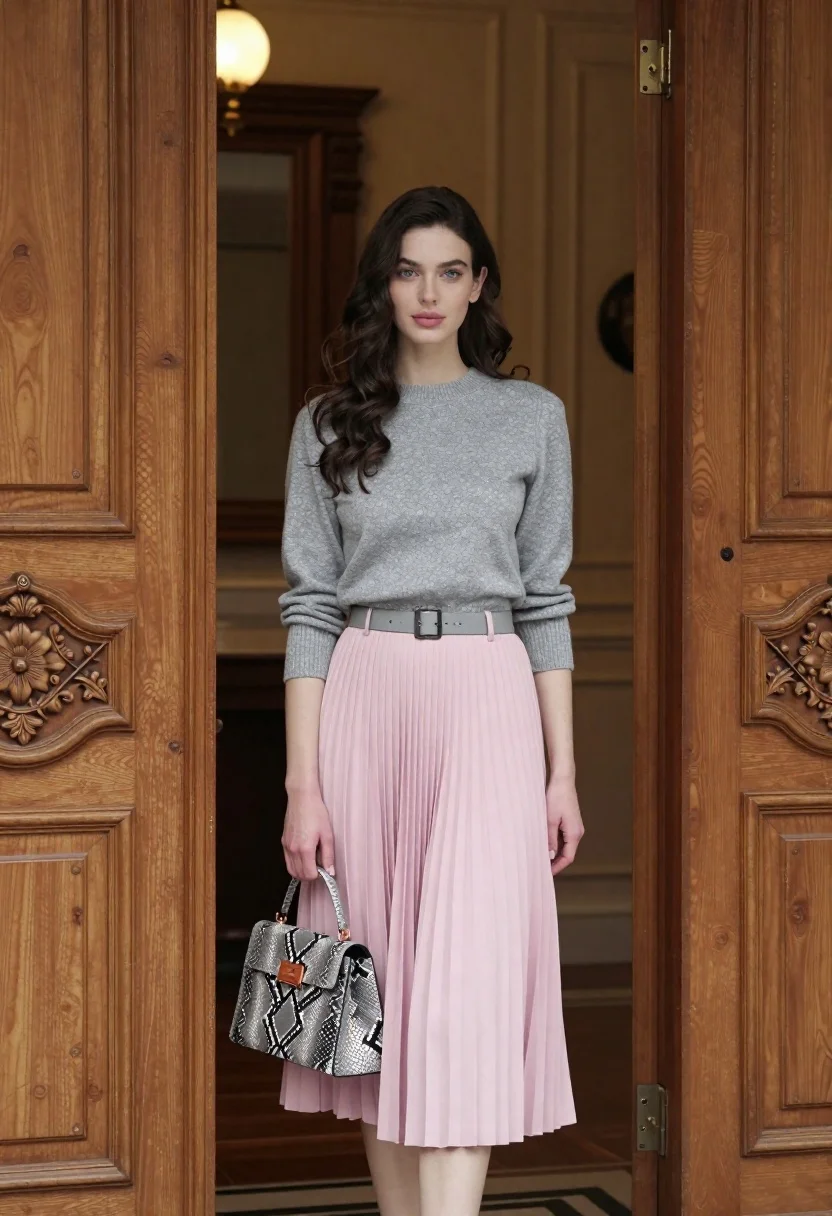
Young woman in grey sweater and pink skirt standing in ornate doorway
Prompt
A full-length portrait of a young woman standing in an elegant interior doorway.

Subject: A fair-skinned woman with long, wavy dark brown hair cascading over her shoulders and soft blue eyes looking directly at the camera.

Clothing: She wears a fitted grey marl knit crop sweater with three-quarter sleeves and a high-waisted, floor-length pink pleated midi skirt cinched with a thin grey belt.

Action: She stands facing forward with a neutral expression, holding a small handbag in her left hand while her right arm hangs relaxed by her side.

Environment: The setting is a luxurious room featuring tall, ornate wooden double doors with intricate carvings framing the subject on both sides.

Objects: She holds a structured grey snakeskin-patterned handbag with a rectangular copper-tone clasp and top handle in her left hand.

Lighting: Soft, warm ambient light illuminates the scene from the background, creating a gentle glow around the subject and casting subtle shadows against the rich wood tones.

Camera: The shot is captured at eye level with a medium telephoto lens to compress the depth of field, keeping the subject sharp while softly blurring the interior background.

Style Details: High-resolution fashion photography with a polished aesthetic, emphasizing texture details in the knitwear and pleats, rendered with smooth skin tones and warm color grading.
Description
This prompt is useful for creating editorial fashion lookbooks, character concept art for period dramas, and high-end lifestyle catalog imagery. The combination of 'soft, warm ambient light' and the 'medium telephoto lens to compress the depth of field' ensures the subject remains the sharp focal point against the richly detailed 'ornate wooden double doors,' preventing the background from becoming a distracting mess while highlighting the texture contrast between the knitwear and the wood.
Suggestions
- Change 'grey marl knit crop sweater' to 'charcoal merino wool turtleneck' for a more structured look.
- Swap 'pink pleated midi skirt' for 'deep burgundy velvet maxi skirt' to deepen the color palette.
- Adjust 'soft, warm ambient light' to 'directional window light' to add more dramatic contrast.
Category
Tags
Brown HairFair SkinFemaleFull BodyIndoorsMedium ShotPortrait ShotRealistic
Date added
June 21, 2026
Added by
PromptDexter Team
Related Prompts
More prompts with similar categories and tags.

Young woman in white lace dress seated against soft floral backdrop

Young woman seated on grey sofa against pink wall fashion portrait
Smiling woman in floral kurta dress indoors with sheer dupatta drape
Young woman in navy jumpsuit posing indoors with soft expression

Young woman in black graphic tshirt against white paneled wall

Portrait of woman in elaborate red feathered gown against vivid blue background

Blonde woman in cream sweater sitting on beige couch

Woman in rust gown posing on white step and repeat backdrop
