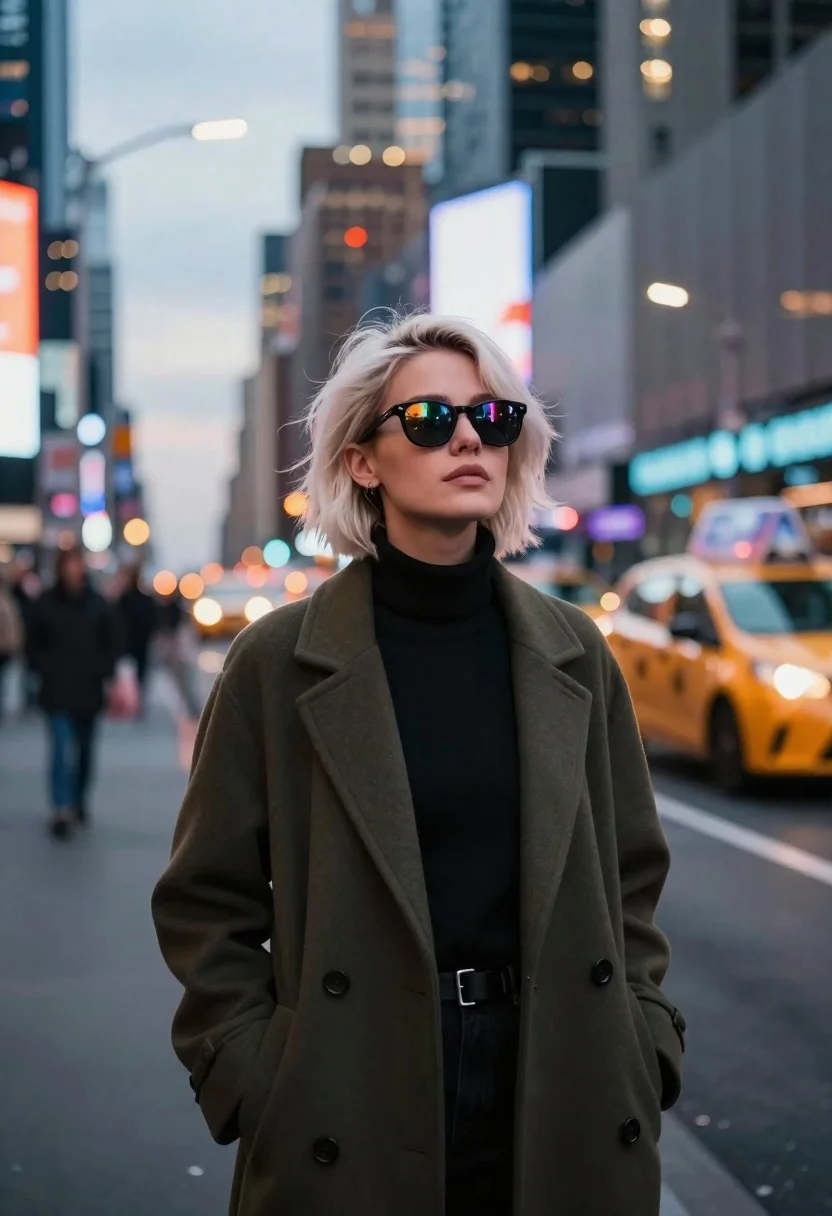
Young woman in olive coat on busy city street at dusk
Prompt
A stylish portrait of a young woman with short platinum blonde hair standing confidently on a busy city street at dusk.

Subject: A young woman with short, tousled platinum blonde hair and a serious, confident expression looking slightly upward. She wears dark sunglasses that reflect the vibrant neon lights of the surrounding city.

Clothing: She is dressed in a chic, dark olive green wool coat worn open over a black turtleneck sweater.

Action: She stands still with a poised posture, her head tilted slightly back as she gazes into the distance.

Environment: A bustling urban street scene at twilight, filled with blurred city traffic including yellow taxis and other vehicles. The background features tall skyscrapers and glowing billboards creating a bokeh effect of colorful lights.

Camera: Shot with a shallow depth of field that keeps the subject sharp while blurring the busy background into soft, circular light patterns. The angle is a medium close-up from slightly below eye level.

Lighting: Soft ambient evening light mixed with the warm glow of streetlights and neon signs reflecting off her sunglasses and face.

Style Details: Cinematic photography style with high contrast between the dark clothing and the bright city lights, featuring a cool color palette accented by warm orange and yellow bokeh highlights.
Description
This prompt is useful for creating cinematic character portraits, editorial street photography spreads, and movie poster concepts depicting urban mystery. The combination of 'soft ambient evening light' with the high contrast between the dark coat and bright neon signs ensures that the subject remains grounded while the shallow depth of field blurs the busy background into soft, circular light patterns, mimicking professional film grading.
Suggestions
- Change 'dark olive green wool coat' to 'charcoal wool trench coat' for a more dramatic silhouette.
- Swap 'yellow taxis' for 'red brake lights' to shift the accent color.
- Adjust 'medium close-up from slightly below eye level' to 'full body shot' to incorporate more of the street environment.
Category
Tags
BlondeDark SkinFemaleFormal WearLow AngleMedium ShotOutdoorsRealisticStreetUrban
Date added
June 23, 2026
Added by
PromptDexter Team
Related Prompts
More prompts with similar categories and tags.

East asian woman in black leather jacket on bustling chinese street at

Young east asian woman on railing in busy japanese city street at

Man in pinstriped shirt leaning on balcony railing in urban alley

Young woman in blue sweater holding yellow daffodils by railway tracks

Romantic couple embracing on a tree lined path at twilight
Young woman with platinum blonde hair in trench coat on busy city
Young black male with tattoos stands against concrete pillar in underground parking
Young blonde woman in black leather jacket on dim urban street at
