Young woman with brown hair looking over shoulder on stone steps outdoors
Prompt
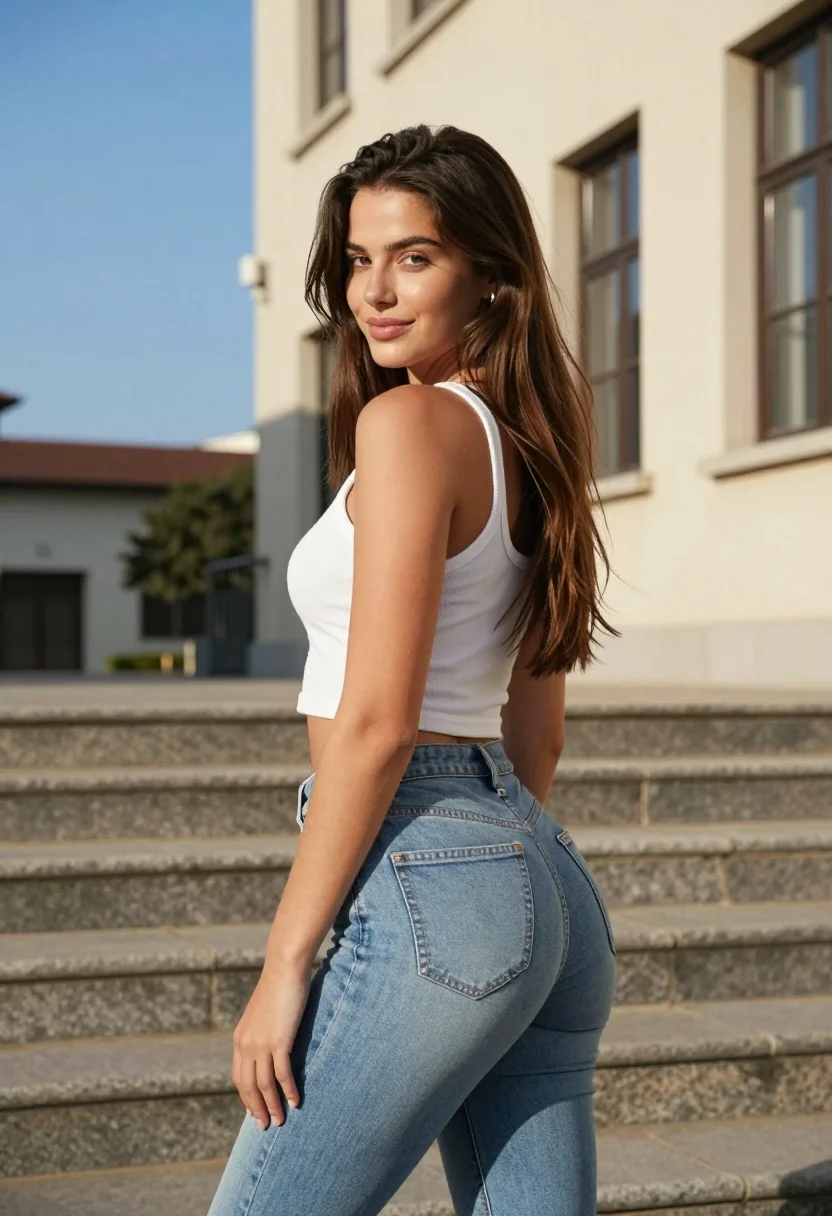
A young woman with long brown hair stands on stone steps outdoors, looking back over her shoulder at the camera.

Subject: A young woman with long, straight brown hair and a fair complexion. She has a slight smile as she turns her head to look back over her left shoulder.

Clothing: She is wearing a white ribbed tank top and light blue skinny jeans.

Action: Standing on stone steps, she looks back over her shoulder at the camera with a subtle smile.

Environment: An outdoor setting featuring wide stone steps in the foreground and a beige building with dark-framed windows to the right under a clear blue sky.

Lighting: Bright natural sunlight coming from the side, casting warm highlights on her skin and creating soft shadows against the building wall.

Camera: Medium shot capturing the subject from the thighs up, framed vertically with a shallow depth of field that keeps the background slightly blurred.

Style Details: High-resolution photography with vibrant colors and a clean, realistic aesthetic.
Description
This prompt is useful for creating lifestyle portraits, architectural featurettes, and candid travel blog imagery. The combination of 'bright natural sunlight coming from the side' generating 'warm highlights on her skin' grounds the subject within the environment while the 'shallow depth of field' ensures that the focus remains sharply on the woman despite the detailed background elements like the stone steps.
Suggestions
- Change 'white ribbed tank top' to 'off-white knit sweater' for a different texture.
- Swap 'clear blue sky' for 'overcast diffused light' to soften the shadows.
- Adjust 'medium shot capturing the subject from the thighs up' to 'full body shot' to include more of the steps.
Category
Tags
Brown HairCasual WearFair SkinFemaleMedium ShotOutdoorsRealisticSide Profile
Date added
July 12, 2026
Added by
PromptDexter Team
Related Prompts
More prompts with similar categories and tags.
Young woman in maroon gown on beach looking back at sunset golden

Smiling young woman in white ruffled dress between green topiary bushes

Young woman in pink camisole standing in sunlit rolling hills

Young woman in olive saree leaning on railing outdoors during golden hour

Young woman with dark hair at wooden table in open air setting

Young woman in patterned dress looking back over grassy hills

Blonde woman in purple polo shirt on an urban street setting

Smiling young woman in maroon top standing outdoors with blurred background

Young woman in white top smiling outdoors in a sunny park setting
Young woman adjusting brown hair outdoors near blue tiled building wall