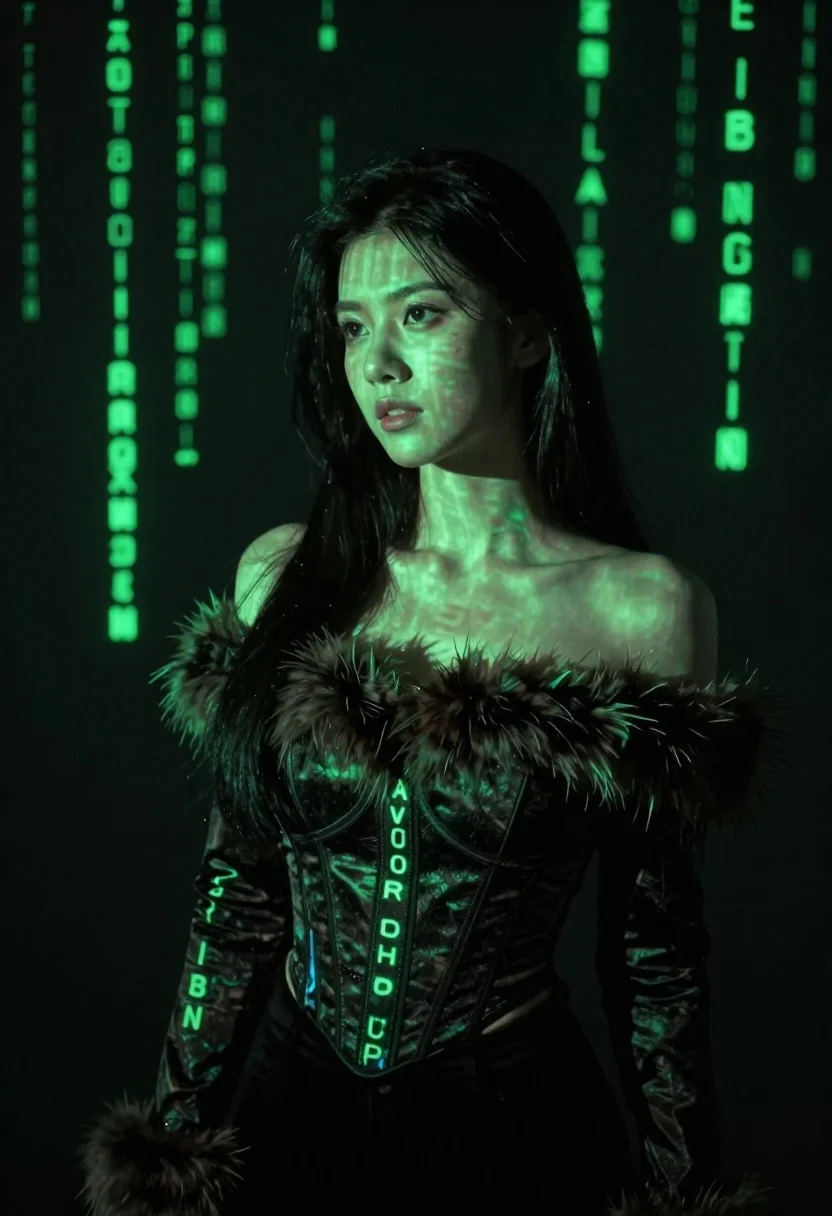
Young woman with long black hair standing in dark environment with projected
Prompt
A woman with long dark hair stands in a dimly lit environment, her skin and upper torso illuminated by projected green digital characters.

Subject: A young woman with long, straight black hair, fair skin, and a neutral, contemplative expression looking slightly to the side.

Clothing: She wears a dark, off-the-shoulder top featuring a thick, fuzzy fur trim around the neckline and a structured corset-style bodice underneath.

Action: The subject stands in a relaxed pose with her head turned slightly away from the camera, gazing into the distance.

Environment: A dark, shadowy background filled with falling vertical lines of green digital code, resembling the Matrix digital rain effect.

Lighting: Dramatic and moody lighting dominated by a strong green glow projected onto the subject's face and body, creating high contrast against the deep black surroundings.

Style Details: Cinematic composition with a focus on digital art aesthetics, featuring glowing text overlays, a cool color palette centered on neon green and black, and a high-contrast visual style.
Description
This prompt is useful for creating cyberpunk character portraits, sci-fi concept art, and moody editorial spreads mimicking hacker culture. The combination of 'strong green glow' against the 'deep black surroundings' establishes an immediate, dramatic contrast that prevents the subject from looking flat, while the specified 'falling vertical lines of green digital code' grounds the image in a specific technological aesthetic.
Suggestions
- Change 'green digital characters' to 'cyan binary code' for a cooler palette.
- Swap 'fuzzy fur trim' for 'wet leather accents' to enhance the sci-fi feel.
- Adjust 'neutral, contemplative expression' to 'intense, focused gaze' for more narrative tension.
Category
Tags
Black HairCasual WearDark SkinFair SkinFemaleMedium ShotOutdoorsRealistic
Date added
June 23, 2026
Added by
PromptDexter Team
Related Prompts
More prompts with similar categories and tags.

East asian woman in black leather jacket on bustling chinese street at
Young woman in black sweatshirt standing in sunlit meadow with wildflowers
Young woman in school uniform looking back over shoulder down hallway
Blonde woman in teal slip dress leaning on elevator handrail
Young woman in beige mini dress looking back at camera on subway
Woman in white dress standing in a field of yellow flowers
Young blonde woman in green polka dot dress standing in subway tunnel

Black and white portrait of young woman in wool coat standing in
