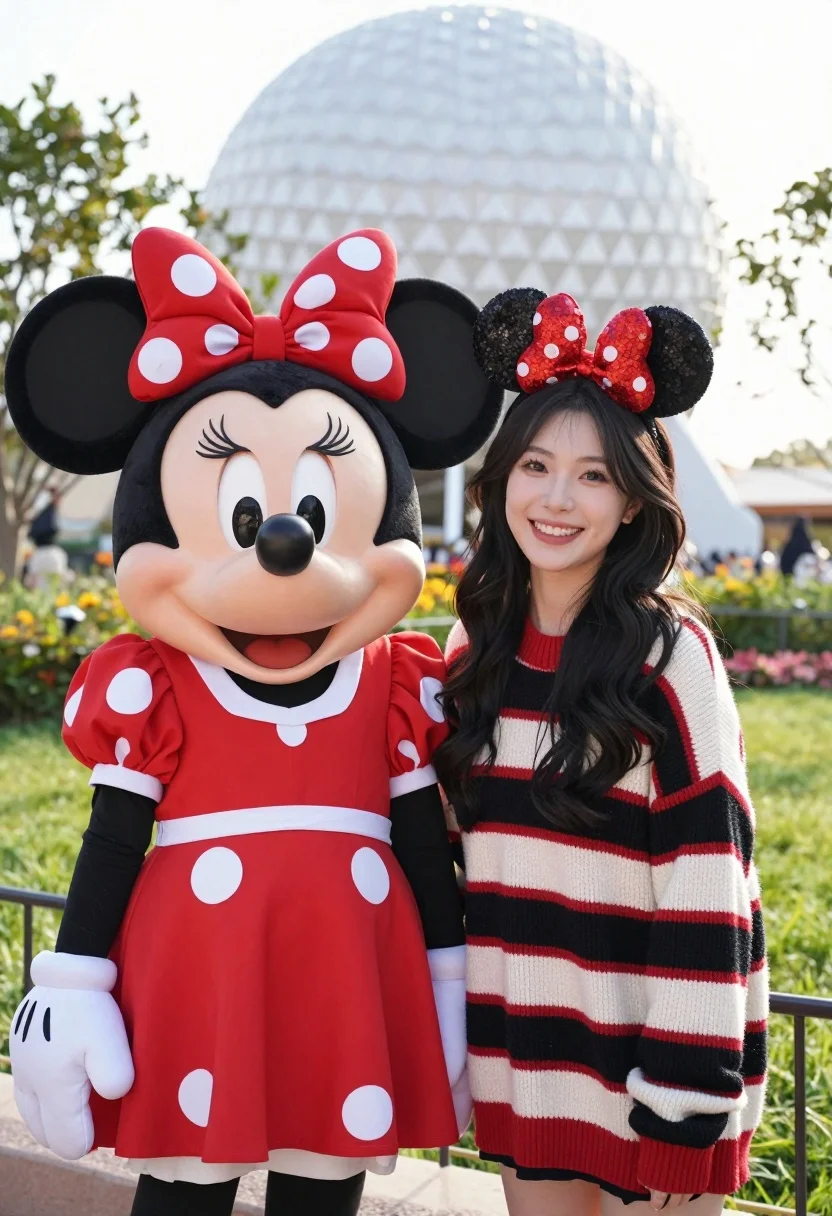
Cheerful woman posing with minnie mouse mascot in grassy outdoor setting
Prompt
A cheerful woman stands smiling next to a life-sized Minnie Mouse character in a bright outdoor setting.

Subject: A young woman with long dark wavy hair and a large Minnie Mouse mascot character standing side by side. The mascot features a classic red dress with white polka dots, large black ears, a red bow with white polka dots, and white gloves.

Clothing: The woman wears a chunky knit sweater with horizontal stripes in red, black, and cream colors. She also wears a Minnie Mouse headband featuring black sequined ears and a red sequined bow.

Action: Both subjects are standing still facing forward with broad smiles, posing for a photograph.

Environment: A grassy outdoor area with blurred greenery and a large spherical geodesic dome structure visible in the background under a bright sky.

Camera: Medium shot framing both subjects from the waist up with a shallow depth of field that blurs the background to emphasize the foreground figures.

Lighting: Bright natural daylight illuminating the scene evenly with soft shadows and a cheerful atmosphere.

Style Details: High-resolution photography with vibrant colors, sharp focus on the subjects, and a clean composition typical of theme park portrait photography.
Description
This prompt is useful for creating themed event promotional materials, family portraiture for character meet-and-greets, and cheerful lifestyle blog content. The combination of 'bright natural daylight' with 'shallow depth of field' ensures the focus remains sharply on the woman and mascot while softening the background elements like the geodesic dome, which prevents visual clutter typical in busy outdoor settings.
Suggestions
- Change 'chunky knit sweater' to a floral sundress for a lighter feel.
- Swap 'bright natural daylight' for 'soft overcast light' to reduce harsh shadows.
- Add 'Canon 50mm lens' to specify the focal length.
Category
Tags
Black HairCasual WearFemaleFull BodyMedium ShotRealistic
Date added
August 5, 2026
Added by
PromptDexter Team
Related Prompts
More prompts with similar categories and tags.
Young woman in navy crop top looking over shoulder in bedroom

Woman in black dress holding cocktail glass at dimly lit restaurant table
Woman in black velvet cheongsam holding katana against red background
Split screen profile close up of young woman with dark hair and
Young woman with dark hair smiling in doorway of cozy bedroom at
Young woman in black slip dress standing by window in bright bedroom
Young woman in white sari seated on bed in dimly lit bedroom

Smiling woman in lime green saree posing outdoors near white car

Smiling young woman in white ruffled dress between green topiary bushes

Young woman in pink camisole standing in sunlit rolling hills
