
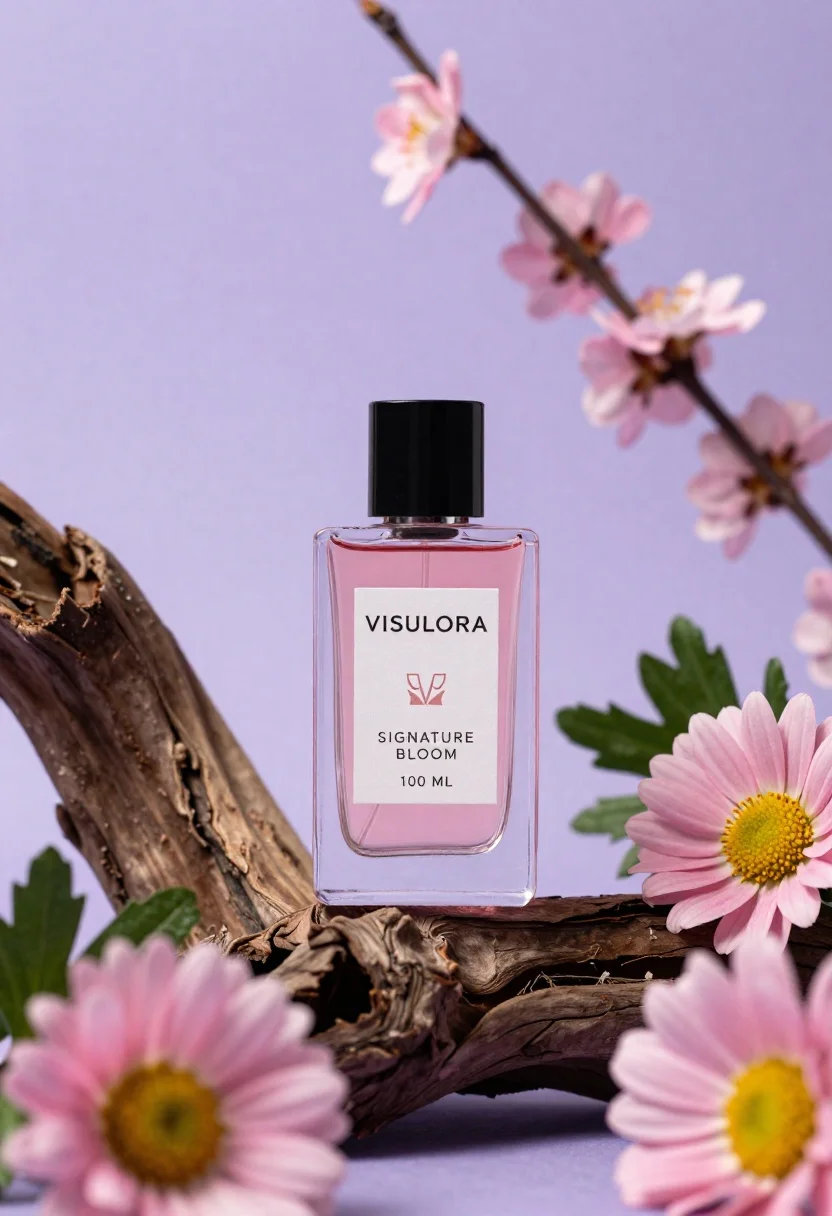
Clear glass perfume bottle on driftwood surrounded by pink daisies
Prompt
A clear glass perfume bottle with a black square cap sits centrally on a piece of gnarled driftwood against a soft purple background.

Subject: A rectangular glass perfume bottle filled with pink liquid and featuring a white label with the text "VISULORA SIGNATURE BLOOM 100 ML" and a stylized logo.

Clothing: N/A.

Action: The bottle is stationary, resting upright on the wood.

Environment: The bottle rests on a piece of dark, textured driftwood surrounded by pink daisies with yellow centers and branches with small pink blossoms in the background.

Camera: A close-up product shot with a shallow depth of field that blurs the foreground flowers and background elements to focus attention on the bottle.

Lighting: Soft, diffused lighting illuminates the bottle from the front, creating gentle highlights on the glass and casting subtle shadows within the liquid.
Second

Subject: N/A.

Objects: Pink daisies with yellow centers, green leaves, branches with small pink flowers, and a piece of dark driftwood.

Interaction: The flowers frame the bottle, and the wood supports it.

Text/Graphics: The label reads "VISULORA", "SIGNATURE BLOOM", and "100 ML" in black sans-serif font.

Style Details: High-end commercial photography style with vibrant color grading, sharp focus on the product, and a dreamy, floral aesthetic.
Description
This prompt is useful for creating high-end cosmetic advertising campaigns, artisanal fragrance branding mockups, and editorial still life arrangements. The combination of 'soft, diffused lighting' and the shallow depth of field ensures that the glass bottle remains sharply defined while the surrounding elements—like the pink daisies and dark driftwood—provide a rich, contextually beautiful frame without distracting from the product itself.
Suggestions
- Change 'pink liquid' to 'pale blush liquid' for a more muted aesthetic.
- Swap 'dark, textured driftwood' for 'smooth bleached wood' to lighten the base.
- Add 'macro lens perspective' to emphasize the glass details.
Category
Tags
3dClose UpRealisticStudioTraditional Art
Date added
June 26, 2026
Added by
PromptDexter Team
Related Prompts
More prompts with similar categories and tags.

Macro shot of pink soda can with peaches and ice cubes studio

Close up metallic coffee can bursting open with frothy liquid ingredients

Black makeup tube next to open red pomegranate on beige background
Black supplement bottle with chromatic aberration in void
Two black deodorant bottles wrapped in a flowing black ribbon
Close up product shot of black perfume bottle with gold lettering
Hyperrealistic close up of orange soda splashing from a floating can
Close up portrait of woman applying pink lipstick against red curtains
