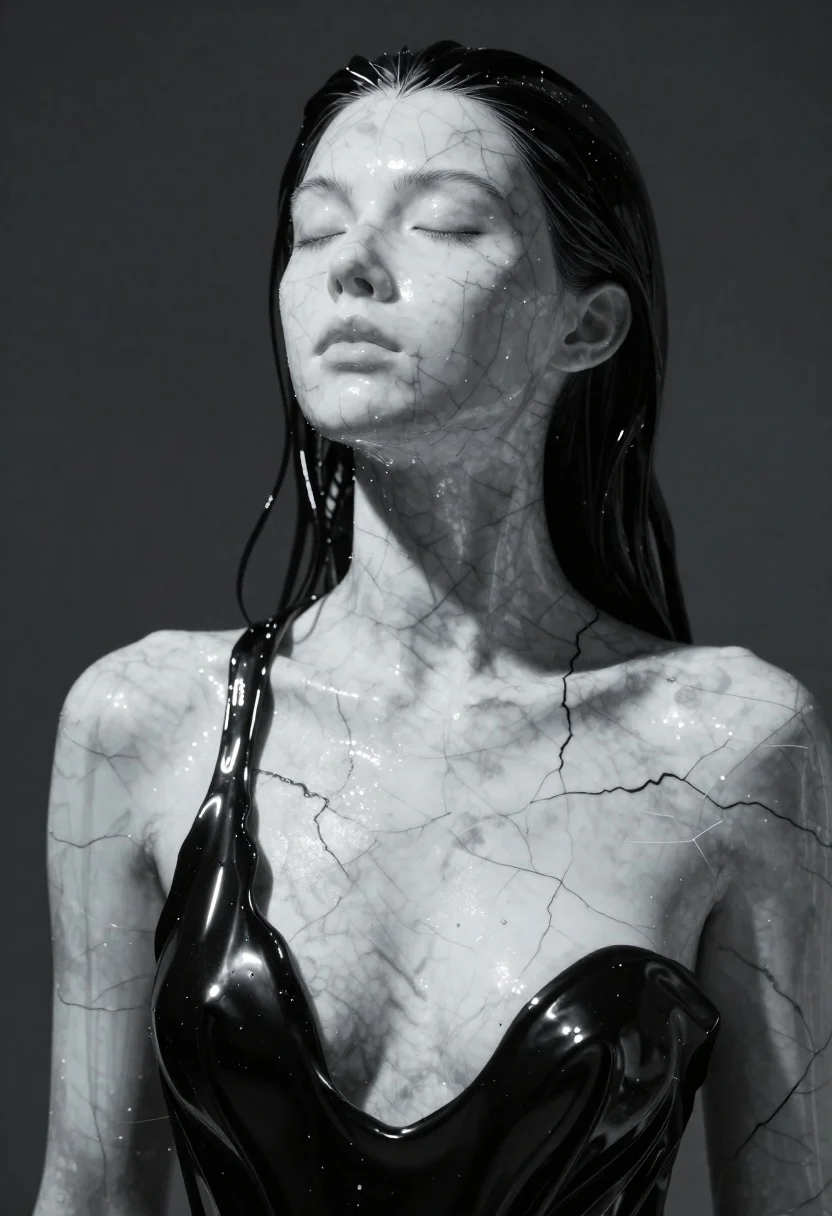
Closeup portrait of woman with white marble skin and glossy black liquid
Prompt
A close-up portrait of a woman with skin resembling white marble veined with dark grey cracks, draped in a glossy black liquid that flows like a topless dress over her chest and cascades down her neck and hair.

Subject: A female figure with closed eyes and a serene expression, featuring skin texture that mimics polished white marble with distinct dark grey fissures running across the face, shoulders, and torso.

Clothing: The figure is draped in a high-gloss black liquid material that clings to the body like a wet topless dress, flowing smoothly over the chest and neck while merging into the hair.

Action: The subject stands still with her head tilted slightly downward and eyes closed, conveying a sense of quiet contemplation or slumber.

Environment: A dark, indistinct background with faint grey tones that suggests a studio setting or an abstract void.

Camera: A tight close-up shot focusing on the upper torso and face, utilizing a shallow depth of field to blur the background slightly while keeping the marble texture sharp.

Lighting: Dramatic high-contrast lighting with strong beams of light cutting through from the upper left, creating bright specular highlights on the glossy black liquid and casting deep shadows within the marble cracks.

Style Details: Hyper-realistic digital art style emphasizing material contrast between matte stone-like skin and reflective wet surfaces, rendered with cinematic color grading and sharp focus on texture details.
Description
This prompt is useful for creating surreal fine art prints, high-concept beauty editorials, and abstract character concept art. The combination of 'white marble veined with dark grey cracks' against the 'high-gloss black liquid' material contrast ensures that the model emphasizes texture disparity rather than just color, allowing the dramatic lighting to carve out sculptural forms from the otherwise seamless surfaces.
Suggestions
- Change 'dark grey cracks' to 'gold veins' for a more opulent feel.
- Adjust 'high-gloss black liquid' to 'iridescent oil' for varied reflections.
- Modify 'shallow depth of field' to 'deep focus' if you want all textures equally sharp.
Category
Tags
3dClose UpDark SkinFair SkinFemaleHigh AngleOutdoorsPortrait ShotStudio
Date added
June 23, 2026
Added by
PromptDexter Team
Related Prompts
More prompts with similar categories and tags.

Smiling young woman with blonde hair in white top against white background

Close up portrait of woman holding miniature animated version of herself

Cheerful young woman taking selfie while standing on giant smartphone screen

Young woman in pink puffer jacket standing by counter with minions

Closeup portrait of stylized blonde woman with soft animated appearance

Full body studio portrait of woman with two animated animal friends

Close up portrait of cheerful young man with curly brown hair

Closeup portrait of woman with fair skin and brown hair in dark