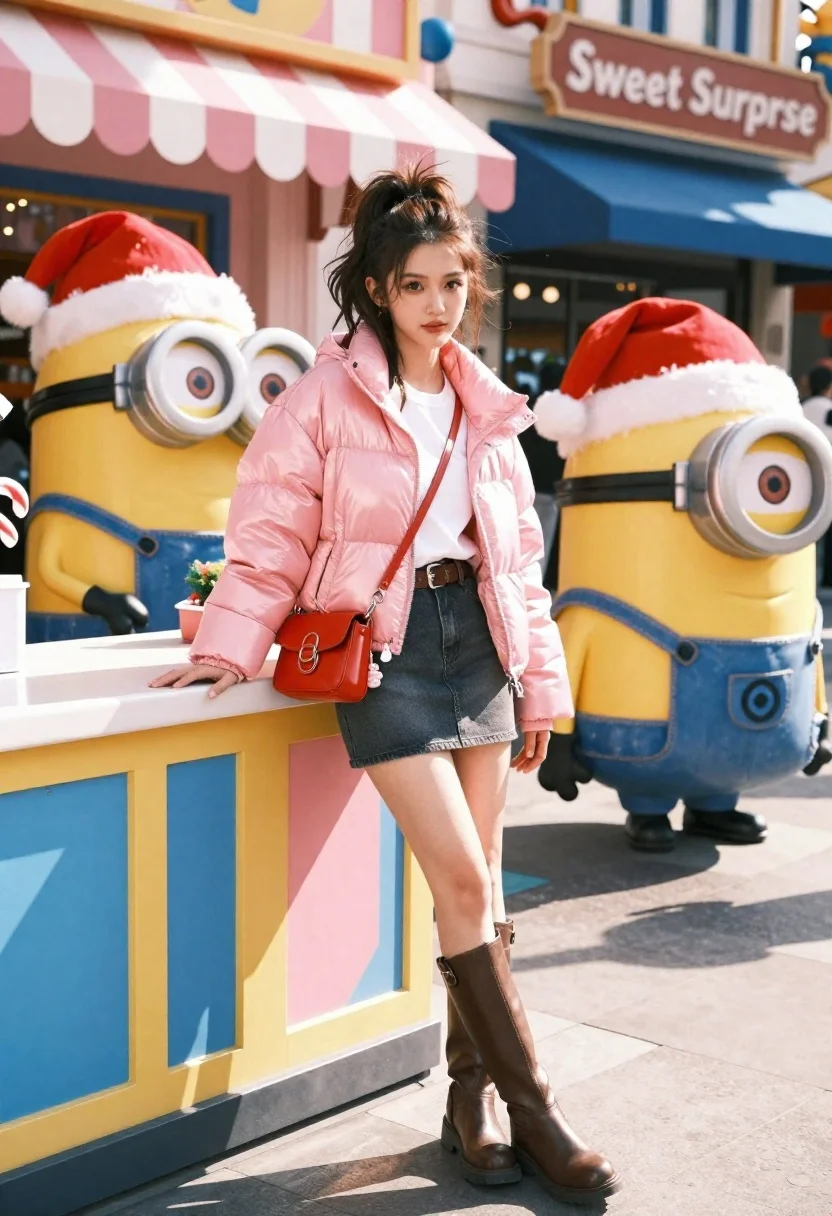
Young woman in pink puffer jacket standing by counter with minions
Prompt
A young woman with dark hair tied back in a high ponytail stands leaning against a colorful counter next to large Minion characters wearing Santa hats.

Subject: A young woman with long dark brown hair styled in a messy high ponytail, fair skin, and a neutral expression looking directly at the camera.

Clothing: She wears a shiny pink puffer jacket over a white t-shirt, a dark grey denim mini skirt with a brown belt, and tall brown leather boots. A small red crossbody bag hangs from her shoulder with dangling charms.

Action: She leans casually against a counter with one hand resting on the surface and the other hanging by her side, posing for a portrait.

Environment: An outdoor urban street scene featuring a building with a pink and white striped awning and a sign that reads "Sweet Surprise" in the background.

Camera: A medium shot capturing the subject from mid-thigh up, framed slightly from the side to include the characters on the right.

Lighting: Bright natural sunlight casting distinct shadows on the ground and highlighting the sheen of her pink jacket.
Second

Subject: Two large yellow Minion characters wearing blue overalls and red Santa hats with white fur trim stand behind the counter.

Objects: A colorful counter decorated with blue, yellow, and pink panels featuring a diamond pattern, along with Christmas decorations like candy canes and greenery near the Minions.

Style Details: High-resolution commercial photography with vibrant colors, sharp focus on the subject, and a polished, festive atmosphere.
Description
This prompt is useful for creating whimsical holiday advertising campaigns, character merchandise mockups, or fun lifestyle blog features. The combination of 'shiny pink puffer jacket' against the 'vibrant colors' and 'distinct shadows' grounds the fantastical Minions in a tangible, commercial reality suitable for retail promotion.
Suggestions
- Change 'pink and white striped awning' to 'teal and yellow striped awning' for more contrast.
- Swap 'Minion characters wearing Santa hats' for 'Minion characters holding wrapped gifts' to change the action.
- Adjust 'Bright natural sunlight' to 'soft overcast daylight' if you want less harsh shadow definition.
Category
Tags
3dBrown HairFair SkinFemaleMedium ShotOutdoorsPortrait ShotRealisticStreetUrban
Date added
June 21, 2026
Added by
PromptDexter Team
Related Prompts
More prompts with similar categories and tags.
Young woman in blue traditional outfit standing next to her animated 3d

Full body studio portrait of woman with two animated animal friends

Young woman in green jacket holding plush toy at festive carousel

Young woman leaning against white wall with beige handbag under bright sunlight
Close up portrait of woman holding miniature animated version of herself
Young man smiling between toy figures on a crowded street fair

Woman in police uniform stands with fox wearing shirt against white studio
Cheerful young woman taking selfie while standing on giant smartphone screen