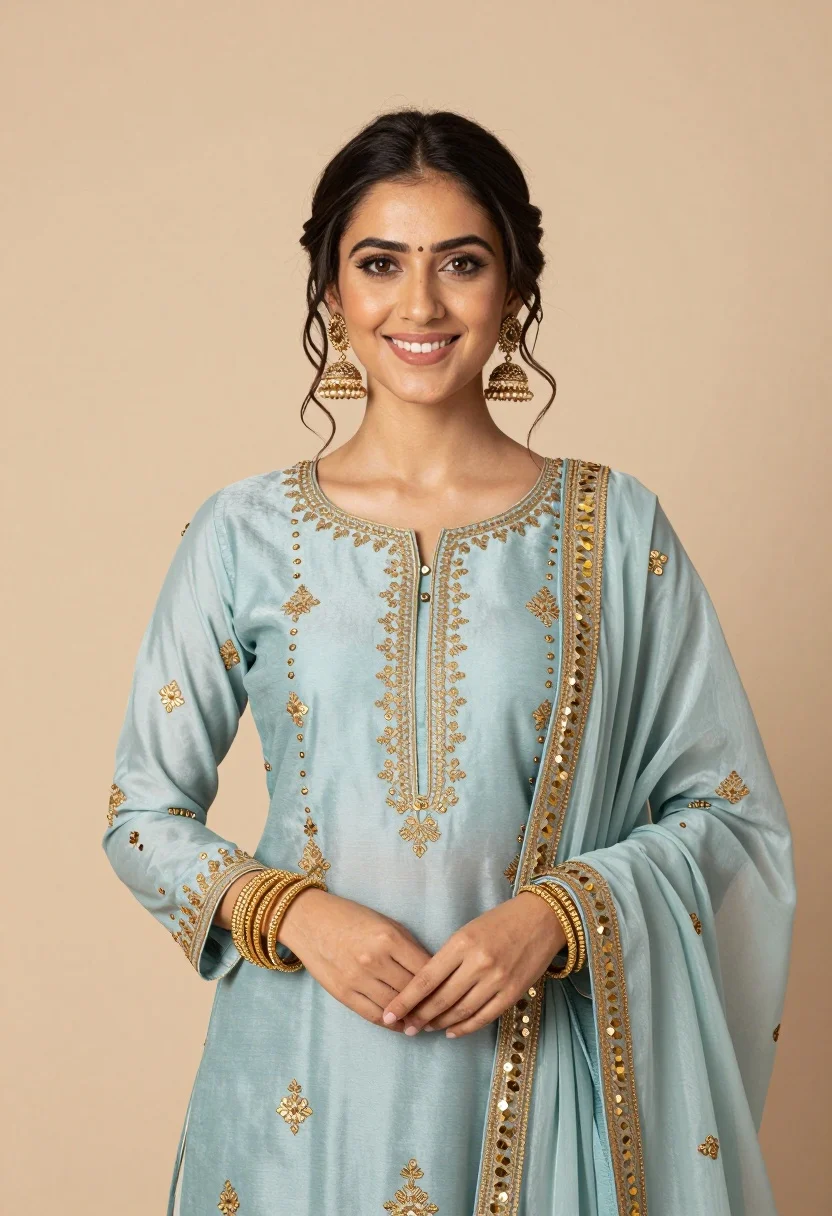
Smiling young woman in light blue embroidered traditional outfit studio portrait
Prompt
A smiling young woman with dark hair pulled back stands in a studio portrait wearing an elegant light blue traditional outfit adorned with intricate gold embroidery and sequins.

Subject: A young woman with fair skin, brown eyes, and a warm, bright smile looking directly at the camera. Her dark hair is styled in a loose updo with soft tendrils framing her face.

Clothing: She wears a light powder-blue long-sleeved tunic or kurta featuring delicate gold floral embroidery scattered across the fabric. A matching sheer dupatta with heavy gold sequin and thread work along the border is draped over her left shoulder. She accessorizes with large, ornate gold jhumka earrings and a stack of gold bangles on both wrists.

Action: She stands facing forward with her hands gently clasped in front of her waist, exuding a calm and confident demeanor.

Environment: The background is a smooth, neutral beige studio backdrop that is softly out of focus to keep attention on the subject.

Camera: A medium shot captures the subject from the waist up, utilizing a shallow depth of field to blur the background and create a professional portrait aesthetic.

Lighting: Soft, diffused lighting illuminates her face evenly, creating gentle highlights on her skin and emphasizing the shimmer of the gold embroidery without harsh shadows.

Style Details: High-resolution photography with a polished, elegant color palette featuring soft blues and warm metallic gold tones.
Description
This prompt is useful for creating cultural portraiture for lifestyle magazines, e-commerce listings for ethnic wear, and bridal lookbooks requiring an air of gentle elegance. The combination of 'soft, diffused lighting' and the 'neutral beige studio backdrop' ensures that the intricate details of the 'gold floral embroidery' remain visible without harsh shadows distracting from the subject's warm smile.
Suggestions
- Change 'light powder-blue' to 'sky blue' for a more vibrant tone.
- Add 'bokeh effect' to the camera section for increased background separation.
- Swap 'large, ornate gold jhumka earrings' for 'delicate pearl and gold drop earrings' for subtlety.
Category
Tags
Casual WearFair SkinFemaleMedium ShotPortrait ShotRealisticStudioTraditional Wear
Date added
August 5, 2026
Added by
PromptDexter Team
Related Prompts
More prompts with similar categories and tags.

Young woman in blue denim jacket posing against pale pink seamless background

Blonde woman in striped swimsuit seated on sofa indoors studio shot

Young woman in black graphic tshirt against white paneled wall

Blonde woman in cream sweater sitting on beige couch

Glamorous woman posing in shimmering two piece outfit against green backdrop

Woman in sheer crystal gown looking over shoulder at event backdrop
High fashion studio portrait of woman in crimson blazer
Fair blonde woman leaning against light wall wearing striped sweater studio portrait
Poised woman in black fur stole against a plain light grey studio
Smiling young woman in pink dress seated indoors with glowing backlight