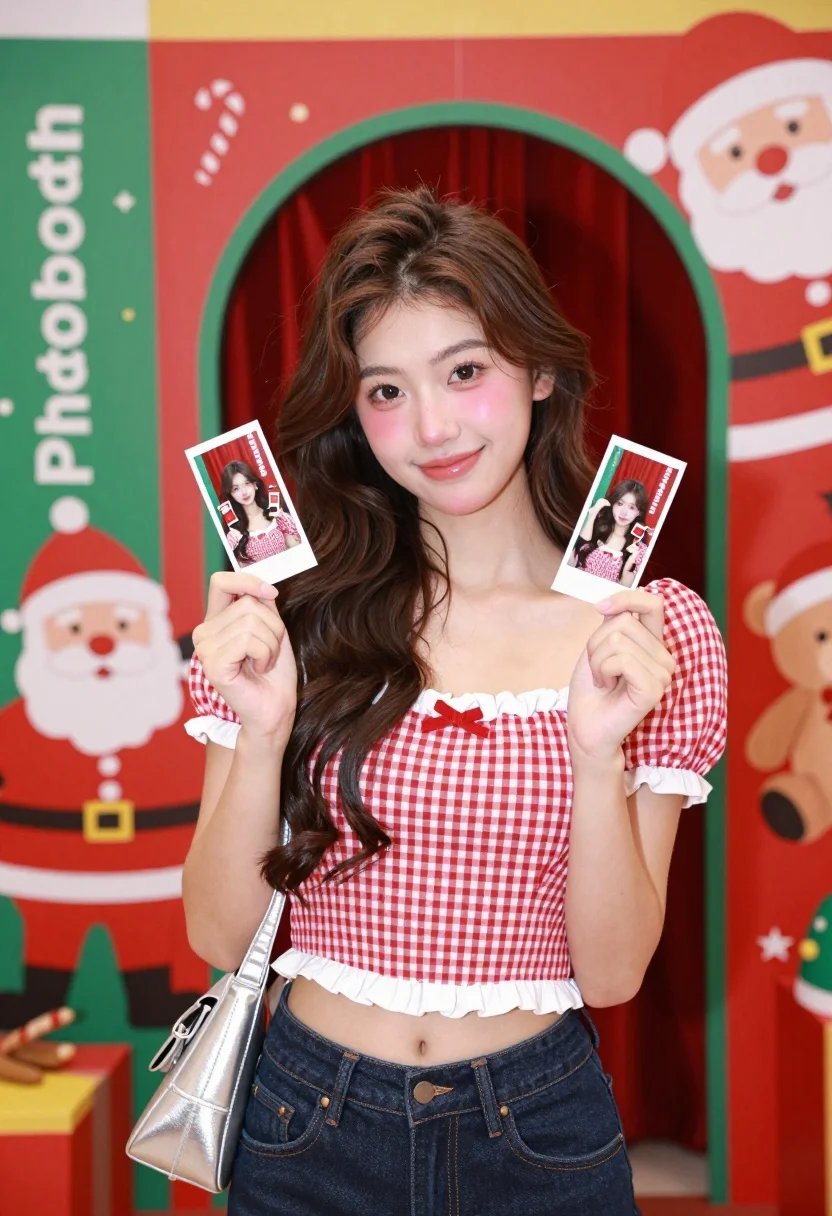
Young woman smiling in front of a festive christmas photobooth backdrop
Prompt
A young woman with long wavy brown hair stands smiling in front of a festive Christmas photobooth backdrop.

Subject: A young woman with long, wavy dark brown hair, fair skin, and soft makeup featuring rosy cheeks and glossy lips.

Clothing: She wears a red and white gingham checkered crop top with white ruffled trim and puffed sleeves, paired with dark blue denim jeans.

Action: She holds up two strips of instant photos showing her own face in the booth, looking directly at the camera with a gentle smile.

Environment: The background is a vibrant Christmas-themed photobooth station featuring red and green colors, cartoon Santa Claus figures, teddy bears wearing Santa hats, and an archway revealing a red curtain behind.

Camera: Medium shot capturing the subject from the waist up, framed centrally against the colorful backdrop with a shallow depth of field keeping the focus on her face and upper body.

Lighting: Bright and even studio lighting illuminates the scene clearly, casting soft shadows and highlighting the festive colors without harsh contrast.

Objects: A silver metallic shoulder bag hangs on her left arm, and she holds two strips of printed photo booth pictures in her right hand.

Text/Graphics: The word "Photobooth" is visible in white lettering on the green panel to the left, along with small decorative icons like stars and candy canes.

Style Details: High-resolution commercial photography with vibrant saturation, clean lines, and a cheerful holiday aesthetic typical of modern retail or event branding.
Description
This prompt is useful for creating seasonal marketing materials, festive portrait sessions, and lifestyle blog content promoting holidays. The combination of 'bright and even studio lighting' with the 'vibrant Christmas-themed photobooth backdrop' ensures every detail, like the 'red and white gingham checkered crop top,' remains clearly visible without harsh shadows that would distract from the cheerful holiday aesthetic.
Suggestions
- Change 'dark brown hair' to 'auburn hair' for a warmer tone.
- Swap 'red and white gingham checkered crop top' for 'velvet reindeer sweater' to change the formality.
- Adjust 'shallow depth of field' to 'deep focus' if you want the entire backdrop visible.
Category
Tags
Brown HairCasual WearFair SkinFemaleMedium ShotOutdoorsRealisticStudio
Date added
August 5, 2026
Added by
PromptDexter Team
Related Prompts
More prompts with similar categories and tags.

Smiling young woman in white ruffled dress between green topiary bushes

Young woman in pink camisole standing in sunlit rolling hills

Blonde woman in black top on balcony overlooking beige stone street

Young woman in olive saree leaning on railing outdoors during golden hour

Young woman with dark hair at wooden table in open air setting

Young woman in patterned dress looking back over grassy hills

Blonde woman in purple polo shirt on an urban street setting

Smiling young woman in maroon top standing outdoors with blurred background
Young woman in white top smiling outdoors in a sunny park setting
Young woman adjusting brown hair outdoors near blue tiled building wall