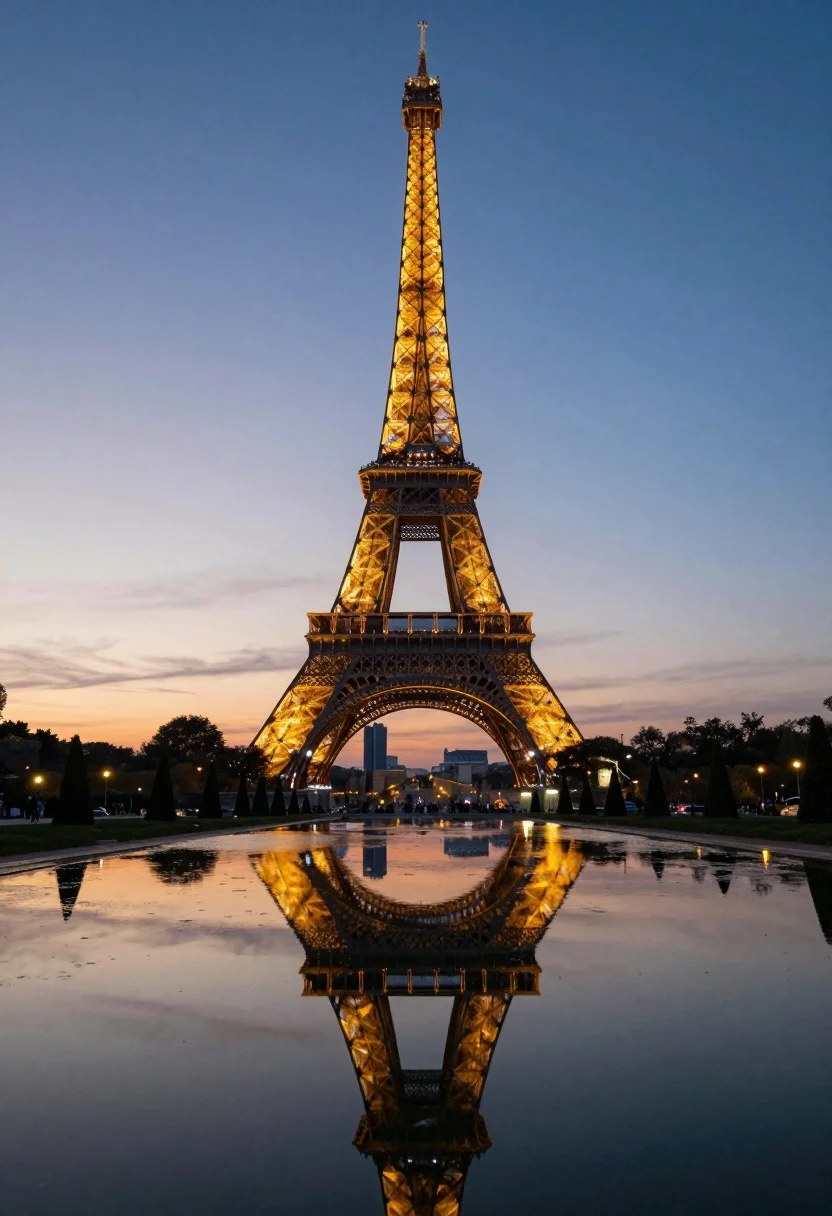
Eiffel tower reflected in still water under a twilight sky at dusk
Prompt
A majestic view of the Eiffel Tower standing tall against a twilight sky, with its intricate iron lattice structure fully visible and illuminated by warm lights at dusk.

Subject: The iconic Eiffel Tower dominates the center of the frame, showcasing its detailed metalwork and glowing golden lights near the base and top.

Action: No movement is present; the scene is static and serene.

Environment: A long, reflective pool of water stretches across the foreground, mirroring the tower perfectly. Symmetrical rows of manicured conical trees line both sides of the pool, with distant streetlights and faint city buildings visible in the background under a soft horizon.

Camera: The shot is taken from a low angle at water level to emphasize symmetry and reflection, using a wide-angle perspective that captures the full height of the tower and surrounding landscape.

Lighting: Soft ambient light from the setting sun creates a gradient sky transitioning from warm orange near the horizon to deep blue above, while artificial lights on the tower and along the pathways add warmth and contrast against the cool tones of the water and sky.

Style Details: High dynamic range with vivid color saturation, smooth reflections, and a polished, almost cinematic aesthetic that enhances the romantic atmosphere of Paris at twilight.
Description
This prompt is useful for creating architectural concept art, serene travel photography, and high-end background visuals for film sets. The combination of 'low angle' perspective with a 'long, reflective pool of water' ensures that the verticality of the tower is doubled through perfect symmetry, while the specified gradient sky transitioning from warm orange to deep blue provides the necessary color contrast against the artificial golden lights.
Suggestions
- Change 'manicured conical trees' to 'willow branches' for a more organic foreground element.
- Swap 'warm orange near the horizon' for 'magenta glow at the horizon' to shift the mood.
- Adjust 'wide-angle perspective' to 'ultra-wide lens, 16mm' for an even grander sweep.
Category
Tags
Low AngleNatureRealisticRooftopUrbanWide Shot
Date added
August 5, 2026
Added by
PromptDexter Team
Related Prompts
More prompts with similar categories and tags.

Silhouette of india gate monument at sunset viewed from a low angle

Eiffel tower silhouette reflected in water at twilight against blue orange sky

Neoclassical building with dome scaffolding reflecting on calm river water at twilight

Wide view of tower bridge spanning river at sunset under dramatic colorful

Low angle wide shot of manhattan skyline at night with illuminated empire
Low angle view of united states capitol dome reflecting in plaza at

Majestic cityscape at twilight featuring ornate historic building with blue dome

Low angle wide shot of massive illuminated ferris wheel over modern city
Wide angle view of towering sail skyscrapers reflecting in dark waterfront at

Majestic illuminated historic building facade under deep blue night sky