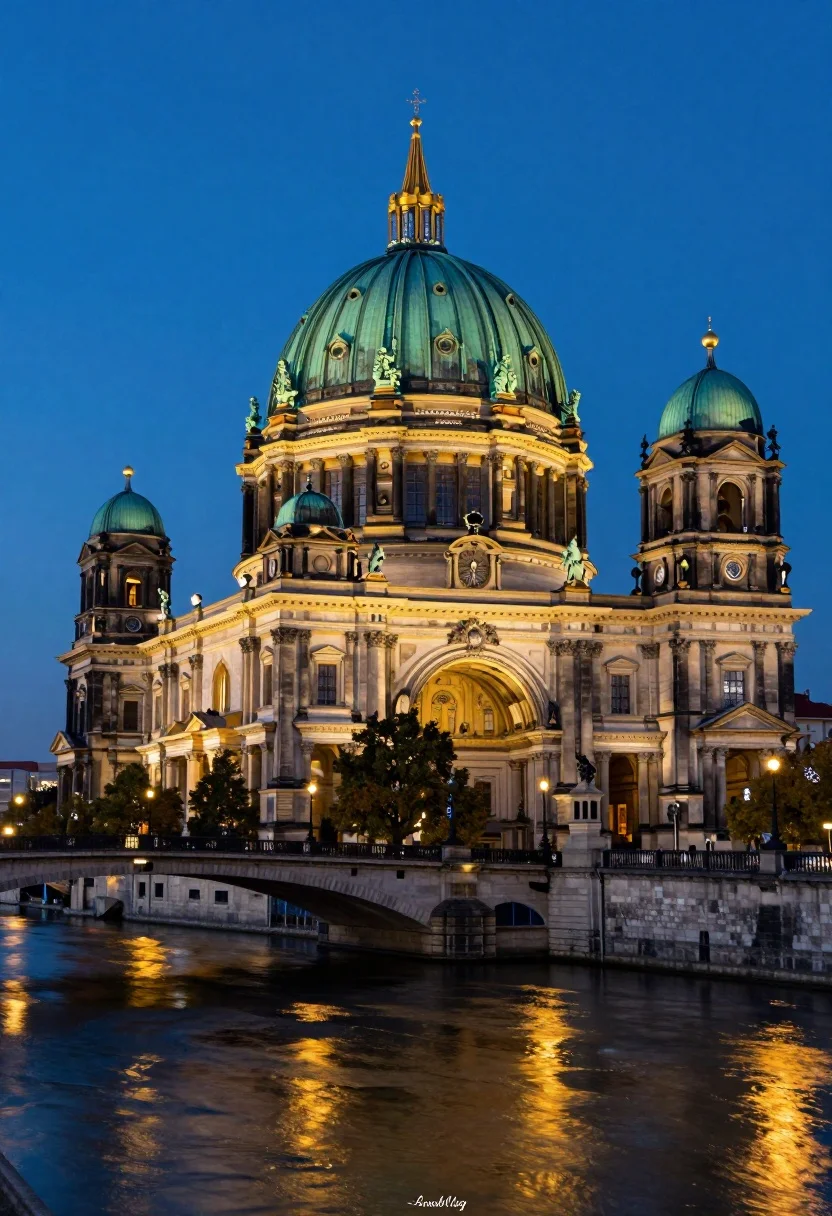
Majestic cathedral with green dome seen from across a wide stone bridge
Prompt
A majestic illuminated cathedral with a large green dome dominates the skyline against a deep blue twilight sky.

Subject: A grand historic cathedral featuring a massive central dome with a lantern on top, flanked by two smaller domes and statues lining the roofline, constructed from light-colored stone.

Action: The scene is static with no visible movement, though the water in the foreground shows gentle ripples reflecting the lights.

Environment: The building sits behind a wide stone bridge with multiple arches spanning a calm river, with streetlights glowing along the bridge and warm yellow lights illuminating the lower levels of the cathedral facade.

Camera: A low-angle perspective looking up at the dome from across the river, utilizing a wide lens to capture the full scale of the architecture and its reflection in the water below.

Lighting: The scene is lit by artificial floodlights casting a bright green glow on the upper dome and warm golden light on the lower walls, contrasting with the cool blue ambient light of the evening sky.

Style Details: High-contrast architectural photography with vibrant color grading that emphasizes the green of the dome against the blue sky and the warm gold reflections in the water.
Description
This prompt is useful for creating dramatic travel posters, historical documentary backdrops, and concept art for fantasy cityscapes. The combination of 'low-angle perspective' looking up at the dome from across the river emphasizes vertical scale, while the contrast between 'bright green glow on the upper dome' and 'warm golden light on the lower walls' prevents the structure from appearing flat against the deep blue twilight sky.
Suggestions
- Change 'deep blue twilight sky' to 'stormy indigo sky' for more drama.
- Swap 'wide lens' for 'ultra-wide fisheye' to exaggerate the bridge arches.
- Add 'mist rising from the river' to enhance atmospheric depth.
Category
Tags
Low AngleRealisticRooftopUrbanWide Shot
Date added
August 5, 2026
Added by
PromptDexter Team
Related Prompts
More prompts with similar categories and tags.

Eiffel tower silhouette reflected in water at twilight against blue orange sky

Neoclassical building with dome scaffolding reflecting on calm river water at twilight

Wide view of tower bridge spanning river at sunset under dramatic colorful

Low angle wide shot of manhattan skyline at night with illuminated empire
Low angle view of united states capitol dome reflecting in plaza at

Majestic cityscape at twilight featuring ornate historic building with blue dome

Low angle wide shot of massive illuminated ferris wheel over modern city
Wide angle view of towering sail skyscrapers reflecting in dark waterfront at

Majestic illuminated historic building facade under deep blue night sky
Illuminated twin skyscrapers at night reflecting blue and purple lights on waterfront