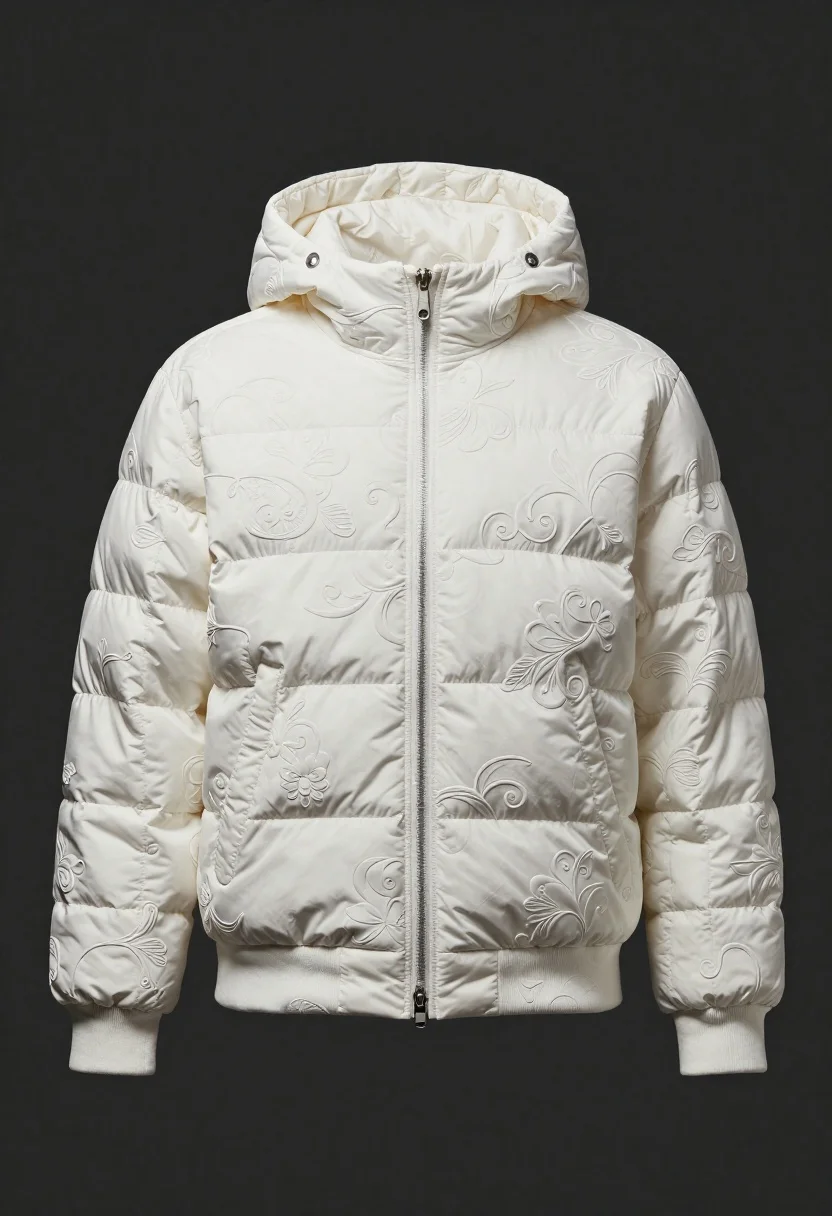
White puffer jacket displayed on a dark gray background
Prompt
A studio shot of a white hooded puffer jacket displayed against a dark background

Clothing: an oversized quilted bomber jacket featuring intricate embossed floral and scrollwork patterns across the entire surface, with deep horizontal stitching on the sleeves creating a segmented volume.

Objects: full-length zippers running down the chest pockets that match the main placket, reinforced ribbed cuffs at the wrists, and a structured hood resting over the shoulders

Environment: isolated against a smooth dark gray backdrop to highlight the garment's texture.
Description
This prompt is useful for creating e-commerce product listings, high-end catalog spreads, and fashion lookbook detail shots. The combination of 'oversized quilted bomber jacket' with its 'intricate embossed floral and scrollwork patterns' against a 'smooth dark gray backdrop' ensures that the garment's complex surface details are visible without distraction, preventing the pattern from becoming muddy or lost in flat lighting.
Suggestions
- Change 'dark gray backdrop' to 'charcoal concrete' for more industrial texture.
- Add 'rim lighting' to emphasize the jacket's segmented volume.
- Specify 'macro detail shot' to focus on the embossed patterns.
Category
Tags
3dFull BodyStudio
Date added
June 19, 2026
Added by
PromptDexter Team
Related Prompts
More prompts with similar categories and tags.
Nike sneaker floating in dark void with embers
Futuristic running shoe on a split color surface
Black jar of clay mask with swirling white cream

Cloud shaped chair on a yellow background
Macro shot of a floral ring with blue sapphire
Black monster energy can wrapped in metal chains on reflective floor
Transparent glass perfume bottle with black cap on green grass under pink

Miniature blonde doll hugging kitkat bar held by giant thumb